![Diane Poremsky [Outlook MVP]](http://www.outlook-tips.net/images/2014/MVP_BlueOnly.png)
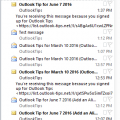
I receive a lot of complaints about the change in the unread message preview option introduced in Outlook 2013. In Outlook 2010 and older, you could show a 3 line preview of Unread messages and no preview for read messages. In Outlook 2013, this was changed to an option of 1, 2 or 3 lines but applies to all messages, read or unread and not everyone likes this change.I spent … [Read more...] about Show AutoPreview for Unread Messages
preview
Outlook 2016: Excel files won’t preview
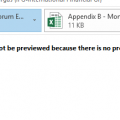
Users who were upgraded to Office 2016 have discovered they can’t preview Excel files in Outlook’s reading pane. When they select an Excel attachment, they receive the following error message:This file cannot be previewed because there is no previewer installed for it.This is due to an incorrect registry entry for the preview handler. While this will be fixed in a … [Read more...] about Outlook 2016: Excel files won’t preview
Tip 1071: Auto Preview Email in Outlook 2013
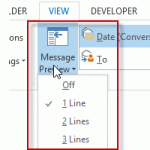
Outlook 2013 makes a change to the 3 line preview feature in older versions: you can choose 1, 2, or 3 line preview and select it from a button on the ribbon for quick changes.I see the new feature where you can set it to preview 1-3 lines of email. But I'd like to have the ability to do what I have always done in Outlook and preview just the Unread Emails. How can I … [Read more...] about Tip 1071: Auto Preview Email in Outlook 2013
Tip 207: Word's Reading Layout
A reader asks: Whenever I open an attached Word document in Outlook, it displays as a side-by-side two page display (actually cut off on the right side). Is there a way to make the file open in a normal view?This is the reading layout view in Word. It is a Word option and needs to be disabled in Word.To disable it for attachment received in Outlook 2003, open Word's … [Read more...] about Tip 207: Word's Reading Layout