![Diane Poremsky [Outlook MVP]](http://www.outlook-tips.net/images/2014/MVP_BlueOnly.png)
Great news for users who hate the huge header at the top of messages in Outlook 2013's reading pane: the November updates for Outlook 2013 allows you to minimize the header block.The old header looks like this:The minimized header has a smaller contact photo and puts the sender and recipient's names and date together on the top line.To minimize the header, … [Read more...] about Tip 1118: Reduce Outlook 2013 header size
reading pane
Tip 944: Hide Header in Reading Pane
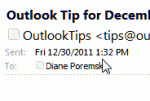
The header in the reading pane or in an open message takes up quite a bit of screen real estate: In older versions of Outlook you can shrink the header down to the subject line by editing the view or by carefully right clicking on the left edge of the reading pane and selecting Header Information to toggle it off and on. In Outlook 2007, only the subject shows (as … [Read more...] about Tip 944: Hide Header in Reading Pane