![Diane Poremsky [Outlook MVP]](http://www.outlook-tips.net/images/2014/MVP_BlueOnly.png)
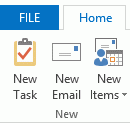
This tip comes from Rick Bretschneider, Powerpoint MVP and one of the very few things I can share from the MVP Summit last week. Do you hate the upper case ribbon names in Outlook 2013? The fix is incredibly simple: add a leading space to the name and the name converts to proper case. (While I normally love incredibly-easy-to-fix annoyances, this one is screaming "if its … [Read more...] about Tip 1070: Proper case ribbon names in Office 2013
ribbon
Tip 919: Search Tools Ribbon is Missing
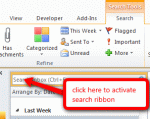
An Outlook user wondered what happened to his search ribbon: "I want to get the Search tools ribbon back. I have ribbons showing for everything except Developer and Search. I enabled the Developer ribbon, however, the Search ribbon won't display when I enable it under Outlook options, Customize Ribbon pane. The Main Tabs section does not have Search Tools listed, and under … [Read more...] about Tip 919: Search Tools Ribbon is Missing
Outlook's File tab is active, not the Home tab

If the ribbon in Outlook 2010 or Outlook 2013, or on open items in Outlook 2007, is missing, you have the ribbon minimized. When the ribbon is minimized, the File tab appears to be the default tab, instead of the Home or Messages tab.Actually, the File tab isn’t really made the default, it just seems so because of the tab color. While it is an extra click to show the … [Read more...] about Outlook's File tab is active, not the Home tab