• Skip to main content
  • Skip to primary sidebar
  • Skip to footer

Outlook Tips

Learning Microsoft Outlook One Tip At A Time

Diane Poremsky [Outlook MVP]

  • Home
  • Tips Archive
  • How to...
  • Beginner
  • Outlook.com

troubleshooting

How to start Outlook in safe mode

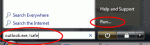
Windows 7 and Vista Start Search field

If you found this page because Outlook 2010 is opening in Safe mode since December 8 2015, see Outlook 2010 runs in Safe Mode after Update When something isn't working right with Outlook we often tell users to start Outlook in safe mode or using the /safe switch. This loads Outlook without many of the customization files and add-ins loaded. If Outlook works correctly in Safe … [Read more...] about How to start Outlook in safe mode

Microsoft Window's "Troubleshoot Compatibility" errors in Outlook
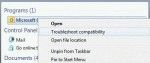
Troubleshoot Compatibility

We're seeing more and more errors caused by compatibility mode. I couldn't understand why users were even touching the compatibility mode settings until someone said they ran the Troubleshoot Compatibility utility in Windows and IT made the changes. Yikes. When you right click on the application shortcut, one of the options is Troubleshoot compatibility. DO NOT use this. … [Read more...] about Microsoft Window's "Troubleshoot Compatibility" errors in Outlook

Primary Sidebar

Search OutlookTips

Training and one-on-one assistance

Do you need help setting up Outlook or want some one-on-one training? I'm available for hire. See Training and one-on-one assistance for fees and to check availability.

All-Time Most Popular Posts

  • Windows 7 and Vista Start Search field
    How to start Outlook in safe mode
  • outlook.com icon
    Delete a message stuck in Outlook's Outbox
  • How to use Outlook's Command line switches
  • Use Cleanviews switch to reset all views
    How to Reset the View on Outlook folders
  • Where are my Outlook Files?
  • Folder paths
    How to Find Folder Paths in Outlook Mailboxes
  • How to use Scanpst.exe to repair Outlook data files
  • Outlook's Missing Holidays
  • backstage page
    Where is File tab in Outlook?
  • Icons found in the Inbox, Message Headers, and Toolbars

Footer

Recent Posts

  • Log into multiple Outlook on the web accounts
  • Keeping Hackers out of Microsoft accounts
  • Microsoft Account Closure Email
  • Outlook on the web Quick Actions moved to the right
  • Automatically sign out of Outlook.com

Recent Bug List

Microsoft keeps a running list of issues affecting recently released updates at Fixes or workarounds for recent issues in Outlook for Windows.

Office Update History

Update history for supported Office versions is at Update history for Office

Resources

Ask questions and share your knowledge in Outlook Forums.

You Might Like

Where is File tab in Outlook?
Using Two-factor authentication
Where are my Outlook Files?
How to use Outlook's Command line switches

© 2003–2026 ยท Outlook Tips