![Diane Poremsky [Outlook MVP]](http://www.outlook-tips.net/images/2014/MVP_BlueOnly.png)
Back in 2005, I shared a tip about how to read the next (or previous) unread message in Outlook 2003. This method does not work in Outlook 2007 and Outlook 2010, because the Next and Previous button on the QAT don’t include additional commands on the flyout. My own preference is an Unread Search folder or a custom view that hides read messages, over using these buttons … [Read more...] about Tip 1002: View the Next Unread Message in Outlook 2007 or Outlook 2010
unread
Tip 966: View all Unread Mail from all Inboxes
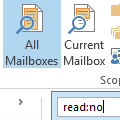
We are often asked how to create a single search folder to display all unread email across all email folders:I have several Inboxes and many more sub-folders in Outlook. I would love to be able to highlight each email account and easily scan through them all by just looking to see if I have any unread emails.There are two ways to do this in Outlook 2010 and Outlook … [Read more...] about Tip 966: View all Unread Mail from all Inboxes
Tip 307: Shortcuts for Reading the Next Message
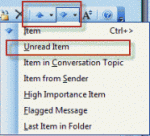
Does Outlook have a "next unread message" feature? Sure, but it's not quite as easy to use as it is in some other email programs. With a message open, you can use the blue up and down arrow buttons or keyboard shortcuts of Ctrl+> and Ctrl+< to go to the next message, read or unread. The button dropdown menus have a number of options, including one for the next unread … [Read more...] about Tip 307: Shortcuts for Reading the Next Message
Tip 70: Unread message count
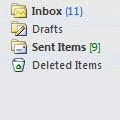
Merged Tip 805: Numbers following folder namesOutlook 2003 (and up) gives you the option to show total number of messages in the folder in green brackets "[9]" and unread message count shown in blue parenthesis "(11)".In Outlook 2013 the design changed a bit. Both unread and total message counts are blue, with total message counts in blue brackets [1609] and unread … [Read more...] about Tip 70: Unread message count