![Diane Poremsky [Outlook MVP]](http://www.outlook-tips.net/images/2014/MVP_BlueOnly.png)
An Outlook user asked how to create a search for a messages sent to or from a domain (eg "@company.com") and include not only email sent to and from himself, but also messages that he was CC'd on.
There are three options which will work to varying degrees:
1. A search folder. Choose the 'To or From' predefined search folder and type the domain (microsoft.com format will work) in the address field when the address book comes up. This may not work if your address is in the CC field.
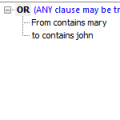
2. Use Query Builder to create OR filters. Again, you'll use just the domain name (microsoft.com) as the search criteria. You can use Query Builder with Search folders, custom views, or Advanced Find.
3. In Instant Search, try this format for the search query (From:("microsoft.com") AND (To:("slipstick.com") OR CC:("slipstick.com"))) OR (To:("microsoft.com") AND From:("slipstick.com"))
Published December 29, 2011. Last updated on January 7, 2013.