![Diane Poremsky [Outlook MVP]](http://www.outlook-tips.net/images/2014/MVP_BlueOnly.png)
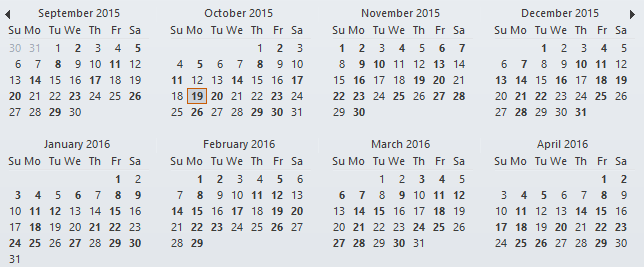
A question that comes up often is why Outlook's calendar doesn't mark all dates that contain appointments in bold in the small thumbnail calendars.
This tip applies to Outlook 2010 and older. The To-Do bar in Outlook 2013 and up doesn't use bolded dates; only the thumbnail calendar in the Calendar navigation pane has bolded dates.
Outlook bolds the dates that contain appointments (not all day events) in your default calendar, for a period 10 months ahead and 2 months in the past (a total of 12 months).
You’ll also need to mark the appointments (or all day events) as Busy, Out of Office, or Tentative – items marked as Free won’t bold the calendar.
Can you configure the number of months shown? No, it's hard coded and can't be changed. The reason for the 12 month limitation is because it would take too long and require too many resources for Outlook to bold all dates containing appointments, especially on calendars that cover several years. Slower computers or calendars with a lot of current appointments already require several seconds to display bolded dates.
In current versions of Outlook, appointments in the selected calendar(s) in your mailbox or profile will show bolded dates. This includes your calendars from MSN/Hotmail or a PST file but not shared calendars from other user’s mailboxes.
Can you change the colors or font so the bolded dates are easier to see? No. it's hard-coded. Changing Windows themes might help, but that will affect all Windows programs.
Published April 14, 2004. Last updated on April 4, 2016.