![Diane Poremsky [Outlook MVP]](http://www.outlook-tips.net/images/2014/MVP_BlueOnly.png)
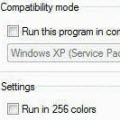
We're seeing more and more errors caused by compatibility mode. I couldn't understand why users were even touching the compatibility mode settings until someone said they ran the Troubleshoot Compatibility utility in Windows and IT made the changes. Yikes.When you right click on the application shortcut, one of the options is Troubleshoot compatibility. DO NOT use this. … [Read more...] about Tip 723: Don't use Compatibility Mode
Tip 722: Blank Hotmail Messages
We’re seeing a lot of complaint from Hotmail Connector users - they have empty messages in Outlook while the messages are fine online: “many e-mails appear to be downloaded, ie show a time but there is no header, or body of message that can be viewed. The messages are on the server. I can view them with Live Mail or going online via Hotmail. They … [Read more...] about Tip 722: Blank Hotmail Messages
Tip 721: Contact Birthdays
When you import contacts, their birthdays are not automatically added to the calendar as they are when you create a new contact manually or edit existing contacts. You have three options: 1. Open and save each contact 2. Use VBA code (//www.outlookcode.com/d/code/remindbday.htm) 3. Use a utility: Rebuild Birthdays and Anniversaries From Adding Birthdays and … [Read more...] about Tip 721: Contact Birthdays
Tip 720: DST, Times, Time Zones
Surprisingly, things are pretty quiet today. We’re usually bombarded with questions about wrong appointment times right after DST begins and ends. Maybe this is a good sign that everyone has the DST updates installed and the correct time zone and DST settings on their computer. If your appointments are off an hour, see Daylight Saving Time Help and Support Center and … [Read more...] about Tip 720: DST, Times, Time Zones
Tip 717: Windows7 & Outlook’s Open Save dialog
If you use Outlook on Windows 7 and open email attachments, you have probably seen the dialog that asks if you want to open or save the attachment after double clicking on the attachment. The option to disable the dialog (and always open attachments) is grayed out, so you can’t get rid of the dialog. The ‘always ask’ option is grayed out due to security restrictions and User … [Read more...] about Tip 717: Windows7 & Outlook’s Open Save dialog