![Diane Poremsky [Outlook MVP]](http://www.outlook-tips.net/images/2014/MVP_BlueOnly.png)
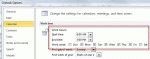
When you use custom flags in Outlook 2007 and 2010, the default reminder time depends on your choice for the Quick Click flag and the start or end time for your work day, set in Calendar options.If Quick click is set to Today, it’s reminder is 1 hour before the end of the work day (set in Options, Calendar options). Custom flags also use this reminder time.When Quick … [Read more...] about Tip 730: Custom Flags and Reminder Times
Tip 729: Reading pane options
If your messages are being marked as read as you browse the Inbox, you need to change the Reading Pane options and disable Mark as read when the selection changes. Go to Tools, Options, Other tab, Reading pane options button. Remove the check from Mark as read when the selection changes. This dialog also contains and option to mark messages read after viewing them for a … [Read more...] about Tip 729: Reading pane options
Tip 728: AutoPreview
A reader had this question: “When my contacts have private notes, I can see the notes in my notes column. The notes are also duplicated on a second line at the beginning of the row, where they can be seen,. How do I disable this?” You need to turn off AutoPreview. To do this, look on the View menu for the Custom or Customize command, then click the Other settings button. … [Read more...] about Tip 728: AutoPreview
Tip 726: Outlook 2010: Prompt before deleting

Outlook 2010 Beta has a bug in the 'prompt before deleting' checkbox - deselecting the checkbox at Options, Advanced, Prompt for confirmation before deleting doesn't actually work and you’ll still be prompted. It's fixed in later builds but until then, users can edit the registry to disable the prompt.At Start menu, Search field or Run command, type regedit and browse to … [Read more...] about Tip 726: Outlook 2010: Prompt before deleting
Tip 725: Open *.EML in Outlook

For years, I changed the association for eml (and nws) to notepad so email attachments or files on my hard drive would open outside of OE. (Before that, I changed the file extension to txt or html.)This reghack will allow you to open *.eml attachments (OE/Mail/Live mail messages) in Outlook's message form (if you want to reply to the message, use Alt+S to send if the send … [Read more...] about Tip 725: Open *.EML in Outlook