![Diane Poremsky [Outlook MVP]](http://www.outlook-tips.net/images/2014/MVP_BlueOnly.png)

It seems like the words “mail merge from contacts” causes eyes to glaze over and users to freak out. I don’t know why. It’s actually really easy to do. But I get a lot of questions about it, especially at this time of year (holiday letter time).To show users how really simple it is to being a mail merge from Contacts, I created a video tutorial. Look for it at Using Mail … [Read more...] about Tip 682: Mail Merge Categories
Tip 680: Select Contacts for Journaling
The method most people use to select contacts for automatic journal activities, is to go to Tools, Options, Journal options and manually click each contact to include them in the automatic journal activities.It’s clumsy and slow. The other method in that dialog is to use the space bar and down arrow – down arrow to move the cursor and the space bar to select it. It's just as … [Read more...] about Tip 680: Select Contacts for Journaling
Tip 679: Compressed weekend substitute
An Outlook user had this to say about the lack of compressed weekends in Outlook 2007: “I am in Month view most of the time. It would make it much easier to distinguish weekdays and weekends in Month view if I could shade weekends in the same manner you shade working hours on a day view. This wasn't necessary in 2003(and before) because of compressed weekend views. … [Read more...] about Tip 679: Compressed weekend substitute
Tip 678: Keep meeting requests
After accepting (or declining) a meeting request, it’s removed from the Inbox and is only on the calendar. If you’d like to keep a copy in the Inbox, go to Tools, Options, Preferences, E-mail Options, Advanced E-mail Options. Uncheck the option to ‘Delete meeting request from Inbox when responding’. … [Read more...] about Tip 678: Keep meeting requests
Tip 677: Error: Can’t create work file
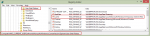
We’re seeing more complaints that Outlook reports this error: “Outlook could not create the work file. Check the temp environment variable.” In many cases, this happens after an upgrade.This error is the result of a corrupted temporary internet cache variable, possibly caused by the upgrading the OS or using Easy Transfer to move settings to a new computer.Fixing it is fairly … [Read more...] about Tip 677: Error: Can’t create work file