![Diane Poremsky [Outlook MVP]](http://www.outlook-tips.net/images/2014/MVP_BlueOnly.png)
An Outlook user asked: “How do you change the background color of the calendar in Outlook 2007? I would like to change the background from white to yellow.” Tools, Options, Calendar Options has a setting for Calendar color - this applies to the calendar’s non-working hours. The working hours are always white (in later versions of Outlook). [In Outlook 2010, look in File, … [Read more...] about Tip 688: Coloring Calendars
Tip 686: Correction: Copy names and addresses
Following up on yesterday’s tip – you need to use File As field, not the Full name field, otherwise you’ll get the field name in the copy (but not on screen). (I double checked the view I use for this purpose to verify the field, but typed Full Name anyway.) I you’re copying a large number, search and replace can remove the field name or see … [Read more...] about Tip 686: Correction: Copy names and addresses
Tip 685: Copy Contact name and address blocks
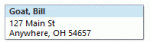
A user had this question:I occasionally need to copy the name, title, company and address of an individual contact to a Word or Excel document. Or in some cases all of the data I have for a contact. Is there a way to do that without copying line by line. It seems like there should be a way to copy and paste all of the data for a contact with a single command - … [Read more...] about Tip 685: Copy Contact name and address blocks
Tip 684: Search for Duplicates
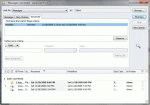
“I exported the personal file folders from my desktop and imported them into my laptop. Now I have many duplicate messages. Obviously I did not select the correct option. How do I remove them other than one at a time?” You could a duplicate remover, but for imports, where the last modified date is going to be very close and no new mail was … [Read more...] about Tip 684: Search for Duplicates
Tip 683: Add to the Location Field
An Outlook user recently asked how to add frequently used locations to the location field in meeting requests. While it’s not possible to add addresses to the location field permanently, the 10 most recently used locations should be saved in the list. The last 10 locations can be selected from the drop down box. You can either click on the triangle at the far right end of the … [Read more...] about Tip 683: Add to the Location Field