![Diane Poremsky [Outlook MVP]](http://www.outlook-tips.net/images/2014/MVP_BlueOnly.png)
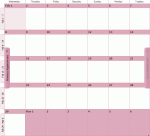
Towards the end of most months we get a few questions that go something like this: We can’t see meeting availability of several people starting on July 1. We can see the meeting availability up until midnight on July 1, then it’s just hashes (No Information) on everyone's calendars. Any idea what's up? Sure, I know what’s up. You are publishing 2 months free/busy – month 1 … [Read more...] about Tip 624: Free Busy Publishing
Tip 622: Hyperlinking long URLs
A limitation of the text box for the hyperlink field is that it accepts only 256 characters. (Insert, Hyperlink) You can hyperlink long URLs (or edit short URLs without opening the Insert Hyperlink dialog) by pasting the URL into the message body, pressing space to convert it to hyperlink and editing the display text. My method to edit the text: click in front … [Read more...] about Tip 622: Hyperlinking long URLs
Tip 621: Outlook.sharing.xml.obi

If you snoop around the Outlook folders on your hard drive (%USERPROFILE%\Application Data\Microsoft\Outlook and %USERPROFILE%\AppData\Roaming\Microsoft\Outlook) you may see two new files - outlook.sharing.xml.obi and Outlook.xml.kfl. Outlook 2007 creates these files - the <profilename>.sharing.xml.obi file contains RSS subscription … [Read more...] about Tip 621: Outlook.sharing.xml.obi
Tip 620: Office 2010 Preview
If you’d like to register for the Office 2010 “technical preview” you can signup at //www.office2010themovie.com/ (signing up is no guarantee you’ll get the preview.) or the blog at //blogs.technet.com/office2010/ … [Read more...] about Tip 620: Office 2010 Preview
Tip 619: QAT and Alt+ Characters
Since Outlook 2007’s Quick Access Toolbar (QAT) uses Alt+ numbers for shortcuts, can you still use Alt+ numbers to enter symbols?Sure. Hold Alt while you enter the symbol code using the numeric keypad. When you release the Alt key the symbol is entered into the message.Press (but don’t hold down) Alt then press the number to use QAT shortcuts. When you use the number … [Read more...] about Tip 619: QAT and Alt+ Characters