![Diane Poremsky [Outlook MVP]](http://www.outlook-tips.net/images/2014/MVP_BlueOnly.png)
Microsoft is rolling out a service called Fixit. When the solution to a problem can be fixed by an automated method Microsoft will include the FixIt wizard in the article along with the manual steps. When a KB offers a prepared fix for the issue described in the article, it will have a Fixit button, as seen in this KB article: //support2.microsoft.com/kb/951291/ … [Read more...] about Tip 602: Mr. FixIt
Tip 601: Show time as Types

One problem telecommuters face is in setting up their Outlook calendar to show their availability. If they set up appointments marked out-of-office (because they are out of the office) no one will schedule calls or appointments, thinking they are unavailable. As a result, we get many requests asking how to add additional types – telecommuting, Office A, Office B, etc, - so … [Read more...] about Tip 601: Show time as Types
Tip 600: Outlook Color Themes
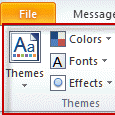
This tip refers to the Themes option on the Options ribbon and in Stationery & Fonts, not the Outlook Color Schemes (which are limited to Green, Silver, and Blue). We see a lot of questions about Outlook and Office Home & Student 2007 – the users have both installed but don’t have themes available in Outlook.This is because themes are only available if you have … [Read more...] about Tip 600: Outlook Color Themes
Tip 598: Sending unreadable email?
We’re seeing several reports each week from users whose sent mail is converted to Chinese characters or question marks. One frequent cause is the antispam program BullGuard. If you are using this program, check for updates and if the problem continues, uninstall or disable it. Other email scanners may cause problems, especially any that add a disclaimer to the message. … [Read more...] about Tip 598: Sending unreadable email?
Tip 597: OneCare and Macro Security
If you use Microsoft's OneCare you are prevented from using the No Security check macro setting. If you choose this option (which is not recommended), OneCare will reset it so that all unsigned macros are disabled. Either sign the macros with SelfCert or choose the option "Warning for all macros". … [Read more...] about Tip 597: OneCare and Macro Security