![Diane Poremsky [Outlook MVP]](http://www.outlook-tips.net/images/2014/MVP_BlueOnly.png)
Following up on yesterday’s calendar tip, here are couple of frequent calendar questions: Older versions of Outlook compress the weekend days into one cell, spreading the week across 6 columns. To change the option for compressed weekends, right click on the calendar and choose Other settings. This puts the week into seven columns. What if you want to show just the … [Read more...] about Tip 575: Calendar Questions
Tip 574: Make your own weekends
Every now and again this question comes up: My work week runs from Sunday to Thursday and I want to change the shared column to contain Friday and Saturday. It is possible to share any two consecutive days in the compressed weekend position. You’ll need to install a right-to-left language on your computer (Hebrew, Arabic, or any other right-to-left language will work) and set … [Read more...] about Tip 574: Make your own weekends
Tip 573: Save Attachments
If you have a lot of messages with attachments and you need to save the attachments to your hard drive, it can take a lot of time to go to File, Save Attachments, Save all for each message. While there are several commercial add-ins that can automate the process, you can use VBA to make the process a bit faster. Since anti-spam filters don’t care much for VBA code, I won’t … [Read more...] about Tip 573: Save Attachments
Tip 571: Backup files used by Office
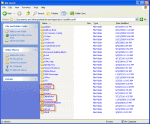
Do you need to backup (or delete) the custom.dic, signatures, templates, Outlook’s nickname cache, or stationery? Paste this command in the address bar of Windows Explorer then press Enter to open the folder path.%appdata%\MicrosoftThese files, and more, are stored in subfolders under the Microsoft folder.In Windows 7 and up, that command opens Windows Explorer to … [Read more...] about Tip 571: Backup files used by Office
Tip 570: Backup Email
The easiest way to backup your email, calendar, and contacts is to copy the PST but finding it is a problem for many people, in part because it’s in a hidden folder. From Outlook, go to File, Data File Management. Select the default PST and click Open folder. This PST will be selected in the Explorer window. You’ll need to close Outlook and wait a few minutes before you can … [Read more...] about Tip 570: Backup Email