![Diane Poremsky [Outlook MVP]](http://www.outlook-tips.net/images/2014/MVP_BlueOnly.png)
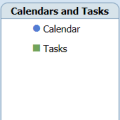
Speaking of printing calendars in color, the Calendar Printing Assistant uses the color of the calendar in the left bar, not color categories, in its printout.If you add 3 calendars or task folders, the items in those calendars or tasks folder will be colored to match the calendar color in the left bar, not their assigned color categories.All day events are shaded as … [Read more...] about Tip 539: Color Categories and the CPA
Tip 538: Printing Color Calendars
Some Outlook 2007 users are having problems printing calendars with the events colored with color categories. In many cases, the problem printer is an HP and its correctly configured to print in color.HP support has this to say: Some or all of my jobs print in monochrome (black) only. How do I change this?If a software program, such as Microsoft Outlook, is restricted … [Read more...] about Tip 538: Printing Color Calendars
Tip 537: End times in the Calendar Printing Assistant
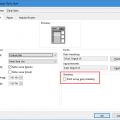
By default, the Calendar Printing Assistant (CPA) includes the end time for appointments. If you prefer more space for the Subject field you can configure the CPA to drop the end times. In the CPA, go to File, Application settings. Enable Drop end times to show longer subject text – this will drop end times only when there are too many appointments on a specific date. To … [Read more...] about Tip 537: End times in the Calendar Printing Assistant
Tip 536: Remove How to...
A common question from Outlook 2007 users is how to remove the “How to… “ section at the bottom of the Calendar navigation pane. While Contacts, Tasks, Notes and Journal each have a similar list, the one in the Calendar pane is longer. Because many users have more calendars shared, it’s a waste of space. It also reduces the number of navigation calendars available on the left … [Read more...] about Tip 536: Remove How to...
Tip 535: Compressed Weekends
Due to limitations with the calendar overlay feature, Outlook 2007 does not offer the option to compress weekends. Many users liked compressed weekends because it offered a visual clue that it was a weekend. The day and weekly views shade non-working days, and the weekly view can show only the work week but the monthly view doesn’t offer either option. . If you need the … [Read more...] about Tip 535: Compressed Weekends