![Diane Poremsky [Outlook MVP]](http://www.outlook-tips.net/images/2014/MVP_BlueOnly.png)
David asks: "One question I often get asked is: I have typed up an email for my Boss, including all the To, CC and BCC entered. He wants me to print it off for checking by him, but the recipients do not appear on the printed copy. Any thoughts?" Assuming that "checking by him" means before sending, my only thought is 'It can't be done.' At least not when you use Word as … [Read more...] about Tip 342: Printing Messages
Tip 341: Save Normal.dot?
RVR asks:"Uncertain if the problem lies within Word 2003, but here's my issue: I decided to use Word 2003 as my e-mail editor in Outlook. Subsequently, every time I have Outlook 2003 running, and use Word 2003 for work on .doc files, when I close Word 2003 it asks if I want to save the normal.dot template. Has anyone else experienced this?"Yes, many people have. … [Read more...] about Tip 341: Save Normal.dot?
Tip 340: Remove Lost Password
If you password protect a PST file then forget the password, you need to use a password-crack program to remove the password. But before you buy one, you can try using an old utility Microsoft developed many years ago for upgrading psts. It's called pst19upg.exe and in the process of upgrading, it removes the password. This won't work for Outlook 2003's Unicode pst format, but … [Read more...] about Tip 340: Remove Lost Password
Tip 339: Store Sent Items in the Inbox
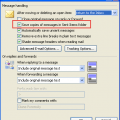
A request I've seen quite a few times recently goes something like this:I would like all sent emails to default to the Inbox rather than Sent Items. We tried using rules but feel it's an awkward workaround. Is there a way to set the Inbox to be the Sent Items folder, maybe using a registry hack?Sorry, there isn't a registry hack. Rules should work just fine for all … [Read more...] about Tip 339: Store Sent Items in the Inbox
Tip 338: Editing Received Email
Did you know you can edit the subject field of any email message you receive? Open a message and type in the gray subject field, save and close. Why would you want to edit the subject? To add keywords so you can find it easier or to make it more informative, so you don't need to open the message to see what it's about. You can also enable in-cell editing (a custom view … [Read more...] about Tip 338: Editing Received Email