![Diane Poremsky [Outlook MVP]](http://www.outlook-tips.net/images/2014/MVP_BlueOnly.png)
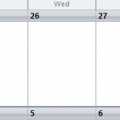
How can I get calendar to start on the current date?This is just how Outlook works. Outlook displays the calendar as 5-full weeks and the last few days of the previous month will always be at the top, unless the month starts on the first day in your calendar display.If you turn off compressed weekends (right click on the calendar and choose Other Settings to disable the … [Read more...] about Tip 259: Calendar display looks wrong
Tip 258: Can't attach zips
Some people have discovered that when they try to attach zip files to email, Outlook 2003 can't 'see' the files. They see every other file in the File Browser dialog except zips. This is related to the Compressed Folders utility included in Windows and it's ability to view zips as folders. You'll need to unregister the zip handler or drag the zips from Windows Explorer to the … [Read more...] about Tip 258: Can't attach zips
Tip 257: Sharing Messenger Contacts
Do you use Windows or MSN Messenger? Newer versions of MSN Messenger allow you to import and export (save) your contacts lists, including by Group, which you can easily share with other Messenger users. The list, once exported, can be imported on either version of Messenger. … [Read more...] about Tip 257: Sharing Messenger Contacts
Tip 256: F11 (Find Contacts) and Add-ins
Did you know F11 is a shortcut that takes you to the Find a Contact field on the Standard toolbar? It doesn't work you say? That could be because you have the MapPoint Add-in installed (or another add-in). Anytime you have unexpected behavior in Outlook, disable all addins and see if the problem still exists. … [Read more...] about Tip 256: F11 (Find Contacts) and Add-ins
Tip 255: Enabling Disabled Items
Outlook 2003's dumbest error message has to be the one many users receive after installing the Outlook connector for MSN email and MOOL. It goes something like this: "The Outlook Connector Menu and Toolbar have been disabled. Please contact //support.msn.com." There is no need to bother MSN Support - restart Outlook and look on the Help, About menu. Click the Disabled items … [Read more...] about Tip 255: Enabling Disabled Items