![Diane Poremsky [Outlook MVP]](http://www.outlook-tips.net/images/2014/MVP_BlueOnly.png)
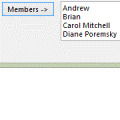
Do you want to make a Distribution list using a list of addresses found in another file? While the recommended method is to import the addresses to contacts and assign categories so you have an easy to manage dynamic DL, you can easily copy and paste the addresses into a DL form.The addresses need to be in semi-colon delimited format or one address per line.Open a new … [Read more...] about Tip 201: Add Addresses to a Distribution List
Tip 200: Reminders in Subfolders
While we're on the subject of Reminders, let me remind you that they only trigger if the item is the one of Outlook's default folders. This means if you use subfolders, reminders on items in those folders won't work. Not all is lost, you can use one of the two reminders utilities at //www.slovaktech.com to trigger them. Extended Reminders … [Read more...] about Tip 200: Reminders in Subfolders
Tip 199: Mark Reminders Completed
Did you know you can right click on task and mail items in Outlook 2002/2003's Reminder window and mark them complete? On mail and Task items, your right click options are Open Flag Complete Clear Flag Calendar items only offer Open. … [Read more...] about Tip 199: Mark Reminders Completed
Tip 195: Using Two Time Zones
Question: "I'm traveling to Germany and need to create appointments in Outlook before I leave, for when I'm there. Is there an easy way to do this without messing up my calendar?" Yes, use Outlook's two time zone feature, which allows you to show two zones in the time scale of the day planner view. Turn it on from Tools, Options, Calendar Options, Time Zone or right click on … [Read more...] about Tip 195: Using Two Time Zones
Tip 194: Filter by Attachment Types
After reading yesterday's tip, Tony asks Do you know of a way of filter out messages which contain an attachment of a given name (alert.txt)? You can use Rules Wizard for this, however it's not foolproof and misses some attachments that are embedded in the messages. Create a rule that looks for words in the header and use the filename or extension. If you use just … [Read more...] about Tip 194: Filter by Attachment Types