![Diane Poremsky [Outlook MVP]](http://www.outlook-tips.net/images/2014/MVP_BlueOnly.png)

A frequently asked question is "How do I filter out messages with blank subject lines?" The short answer is "You can't. Outlook doesn't offer an option to filter on 'nothing'." But not all is lost - you can create a rule to filter everything and create an exception for subjects containing a, e, i, o, or u. Start with a new blank rule but don't select a condition. You'll … [Read more...] about Tip 193: Filter Messages with Blank Subject Lines
Tip 192: Correcting Calendars and Time Zones
If you need to change your time zone, the time displayed your existing appointments, include all day appointments, will reflect the new time zone. To avoid problems, you should follow these steps before changing the time zone: Export your calendar to CSV or Excel format. Create a new calendar folder and move the existing items to it (use any table view and select all, … [Read more...] about Tip 192: Correcting Calendars and Time Zones
Tip 191: How to get Hotfixes
Do you need a hotfix mentioned in a KB and don't know how to get it? If you are in the US, call 1-800-936-4900 (press 3 for hotfixes) and tell them you're calling to obtain the hotfix described in KB [number] and they should fix you right up. Calls for hotfixes are always free, provided you don't ask about anything but the hotfix. … [Read more...] about Tip 191: How to get Hotfixes
Tip 190: Hyperlinks Not Hyperlinked?
When you paste URLs into HTML formatted email the url is treated as plain text, not a clickable hyperlink, until you press the spacebar (or begin typing at the end of the url) or press Enter. … [Read more...] about Tip 190: Hyperlinks Not Hyperlinked?
Tip 189: Rule to Request Read Receipts
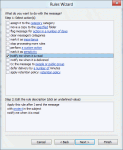
Do you need to always request read receipts for some addresses you send messages to, but not for all messages?You can do this using an "After sending rule". This method works in all versions of Outlook that have the "notify when read" action (which is all 'current' versions, at least through Outlook 2013).Open Rules Wizard Select the option to start from a blank … [Read more...] about Tip 189: Rule to Request Read Receipts