![Diane Poremsky [Outlook MVP]](http://www.outlook-tips.net/images/2014/MVP_BlueOnly.png)

Outlook 2013 introduced a number to changes to existing features we've all grown to love and most of the changes aren't really for the better. Like the removal of the Quick Click category field in the message list. It is present if you turn off the reading pane to drop to a one line view, but that is not practical.In previous versions of Outlook there were little icons … [Read more...] about Tip 1041: Outlook 2013's missing Quick Click category field
Tip 1040: An encrypted connection to your mail server is not available
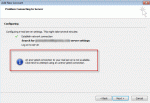
A couple of Outlook users complained this week that Outlook doesn't support the encryption methods their mail server does. They wanted to know how to make Outlook send secure email. An encrypted connection to your mail server is not available. Click next to attempt using an unencrypted connection. Easy: set the account up manually.When you use autodiscover and let Outlook … [Read more...] about Tip 1040: An encrypted connection to your mail server is not available
Tip 1039: Searching Outlook in Windows 8
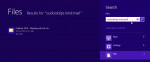
One of my favorite features in Windows 7 was the Start menu search field. It could find anything, fast. Including email, contacts, messages stuck in the Outbox... Just as we've all gotten used to using it, Microsoft puts a stop to it. No, not because they removed the Start menu. I can live with that.They messed up search. Outlook items are no longer included in the search … [Read more...] about Tip 1039: Searching Outlook in Windows 8
Tip 1038: Outlook 2013 messages deleted from IMAP account reappear
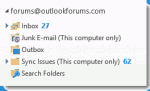
I'm seeing reports that when users delete messages from an IMAP account, the deleted items reappear.Files that are deleted reappear later, sometimes randomly, even though the Trash folder was previously emptied. The trash folder sometimes shows there are one or more unread messages in it, but when looking in the folder, it appears empty.The solution: delete the IMAP … [Read more...] about Tip 1038: Outlook 2013 messages deleted from IMAP account reappear
Tip 1037: Outlook 2003 and Windows 8

The official word from Microsoft is that Outlook 2003 is not compatible with Windows 8. What this means is that if you install Outlook 2003 on Windows 8 and it doesn't work, don't go crying to them... they told you it's not compatible and you are on your own. Support is not going to help you.Will Outlook 2003 work in Windows 8? Sure. Microsoft's idea of not compatible or … [Read more...] about Tip 1037: Outlook 2003 and Windows 8