![Diane Poremsky [Outlook MVP]](http://www.outlook-tips.net/images/2014/MVP_BlueOnly.png)
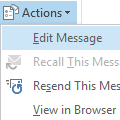
A frustrated user (one of many over the last few days) received photos by email but the attached images need rotated 90 degrees to be viewed correctly. He wants to rotate the pictures and save the rotated image back to the message in Outlook, so the next time he views it, it won't need rotated again.I'm trying to rotate a picture attachment and save it so I can see it in an … [Read more...] about Tip 942: How to Rotate Photos Attached to an Outlook Email Message and Save the Changes
How to Edit the Registry
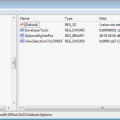
We often tell users how to edit the registry but don't always say how to do this. We do this in part because the registry is the nerve center of the computer and one wrong edit can render it "useless". We assume that if someone knows how to edit the registry, they also know how to recover from an "Oops, did I really just do that?" moment.System restore, if not disabled, can … [Read more...] about How to Edit the Registry
How to find out if a file is marked read-only
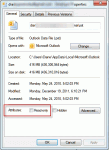
When you get a new computer and move your existing data files to it, you may get an error that the PST file is not a valid file or that the information store cannot be opened. This may mean the PST file is marked read-only.Microsoft Outlook can not be started, cannot open the Outlook window, the set of folders cannot be opened, cannot access file, you do not have the … [Read more...] about How to find out if a file is marked read-only
Tip 940: Messages moved using Sent Message Rule are Unread

You can create an "after sending" rule in Outlook to apply a limited number of actions to a message after it's sent. One of the more common uses is to move messages to another folder: I want to arrange Sent Items in folders and want to do it using rules. I created a rule for the sent mail and it's working fine, moving the sent message to the proper folder. However, the … [Read more...] about Tip 940: Messages moved using Sent Message Rule are Unread
Tip 939: View Message Source in Outlook
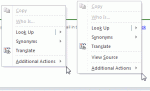
The "View Source" option is sometimes a bit tricky to find in Outlook 2010's reading pane (or in opened messages). When I right-click in the body of an email either in the reading pane or in the separate window containing the email, the "View Source" option is not always in the menu. It's listed for some HTML emails, but not all HTML emails. It's available for all HTML … [Read more...] about Tip 939: View Message Source in Outlook