![Diane Poremsky [Outlook MVP]](http://www.outlook-tips.net/images/2014/MVP_BlueOnly.png)
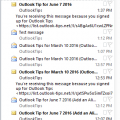
I receive a lot of complaints about the change in the unread message preview option introduced in Outlook 2013. In Outlook 2010 and older, you could show a 3 line preview of Unread messages and no preview for read messages. In Outlook 2013, this was changed to an option of 1, 2 or 3 lines but applies to all messages, read or unread and not everyone likes this change.I spent … [Read more...] about Show AutoPreview for Unread Messages
Remove Office 2013 Upgrade Banner
When I open any Office 2013 application, there is a yellow banner under the ribbon that literally shouts "GET THE NEW OFFICE It's one of the perks of having Office 365." There is an X at the right-hand end of the banner that allows you to dismiss the banner. Unfortunately, the banner reappears every time I switch to a different email account in Outlook. I have not found a way … [Read more...] about Remove Office 2013 Upgrade Banner
Copy and Paste Appointments
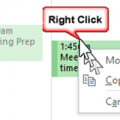
A user complained that he couldn't copy and paste appointments on his calendar.This should be a basic Outlook feature, but NO, Outlook can't do something so simple as copy and paste appointments on a calendar. Really? How stupid!Yes, the Copy command is missing from the right-click context menu, but that doesn't mean it doesn't work.... try using the old standby Ctrl+C … [Read more...] about Copy and Paste Appointments
Change How Many Attachments are Listed in Attach File
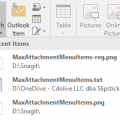
After upgrading to office 2016, I now have a list of "Recent Items" under the attachment button. I want to turn it off because I never attach recent items and always need to browse to a specific location for a file.Outlook doesn't have an option to change the number of recent files but you can set a value in the registry. Setting it to 0 will remove all recent items from … [Read more...] about Change How Many Attachments are Listed in Attach File
Pulling Office 365 Accounts into Gmail
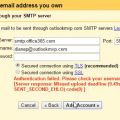
Although I don't recommend pulling Office 365 business mail into a personal Gmail account, I know some users do this. For many, it just works, but others receive errors when they try to set Gmail up to use the Office 365 or Outlook.com SMTP server.I have an Office365 Enterprise email account with a handful of users, one of whom has an aversion to anything Microsoft and … [Read more...] about Pulling Office 365 Accounts into Gmail