![Diane Poremsky [Outlook MVP]](http://www.outlook-tips.net/images/2014/MVP_BlueOnly.png)
See Delete Read Receipts using MFCMAPI for an alternate method to delete stuck read receipts. MFCMAPI is a standalone program (does not need to be installed) and it works with all versions of Outlook, including Outlook 2010 64 bit. If you have hidden, unknown messages that won’t send, it’s most likely read receipts. They are stored as hidden messages at the root level of … [Read more...] about Delete Stuck Read Receipts using OutlookSpy
Outlook Contacts are updating from the GAL
I receive a few complaints about a problem with Contacts being updated with content from the GAL: My personal contacts are being updated with information in the GAL. I have a personal contact for another person that is in the GAL and it has slightly different information than is in the GAL but Outlook synchronized this contact information with the GAL and replaced the … [Read more...] about Outlook Contacts are updating from the GAL
How to create an Autoreply rule
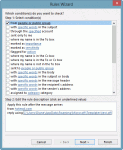
To use Outlook to autoreply to email, you need to create a template then create a rule to reply using the template. If you want a "vacation reply", I highly recommend using the autoreply, often called "vacation reply", feature on your mailbox server, not Outlook. If you use Outlook to reply, you need to leave the computer running and Outlook checking mail regularly. Using … [Read more...] about How to create an Autoreply rule
Tip 864: Send email to a Contact category
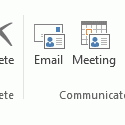
When you assign categories to Contacts you can send an email message to everyone in the category.To do this in Microsoft Outlook 2010 or Outlook 2013, begin by grouping by category then select the category and click the Email button on the Home ribbon's Communicate section. This will open a new email message addressed to the members of the category.While in the Contacts … [Read more...] about Tip 864: Send email to a Contact category
Tip 863: Duplicate Sent Messages in Outlook 2010
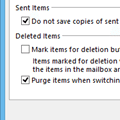
If you have a Gmail account and are getting duplicates in the Sent folder, this is because Outlook saves a sent message in the Sent message folder and some IMAP mail providers do the same, creating two sent message every time you send a message. To stop the duplicates, you need to change the sent message settings in Outlook’s More Settings dialog or change the settings on your … [Read more...] about Tip 863: Duplicate Sent Messages in Outlook 2010