![Diane Poremsky [Outlook MVP]](http://www.outlook-tips.net/images/2014/MVP_BlueOnly.png)
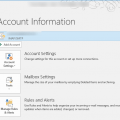
Many Outlook desktop options are accessed from the File tab. When someone asks the question "Where is File tab?", it's almost a certainty that they are using Outlook on the web (formerly known as OWA, or Outlook.com) in their browser, not Outlook on the desktop. (A few might be using older versions of Outlook, but it has a File menu, so they would find the menu but not the … [Read more...] about Where is File tab in Outlook?
Outlook 2010 runs in Safe Mode after Update
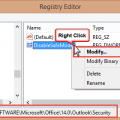
In Outlook 2010, all of my options were reset to their defaults and when I change them, the changes don't stick. As soon as I close Outlook and restart it, everything is back to its default.This is caused by installing KB3114409 - it causes Outlook to run in Safe mode, which uses the default settings. Your customizations aren't lost, they just aren't being used when … [Read more...] about Outlook 2010 runs in Safe Mode after Update
Outlook crashes when viewing HTML Messages

Following the installation of the November 10 2015 updates, users may have problems with Outlook crashing when they view HTML messages. Windows 7 64-bit is definitely affected; other versions of Windows may be affected as well.This is caused by Security Update for Microsoft windows (KB3097877). Outlook should work correctly after this update is removed. If the problem is … [Read more...] about Outlook crashes when viewing HTML Messages
Assigning Free/Busy Permissions
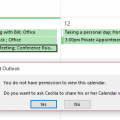
Is it possible to allow colleagues to see the subject and location of any appointment in my calendar, but not to be able to open the meeting request?Sure, you can allow colleagues to see only limited appointment information, such as Subject and Location (in addition to the time) in newer versions of Outlook and Exchange server.Your choices will be time only, time, … [Read more...] about Assigning Free/Busy Permissions
Shortcuts are Missing from the Outlook Icon (Jump List)
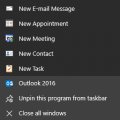
When you right click on Outlook in the task bar, you can select one of the shortcuts from the Jump list. However, it's not uncommon to lose the jump list if you uninstall or repair the Office installation.To fix it, you need to delete a registry key and restart Outlook. If you have Outlook pinned to the start screen and/or taskbar, you need to unpin it before restarting … [Read more...] about Shortcuts are Missing from the Outlook Icon (Jump List)