![Diane Poremsky [Outlook MVP]](http://www.outlook-tips.net/images/2014/MVP_BlueOnly.png)
A user complains “When I reply to or forward a message the reply/forward is in my Inbox, not my Sent items folder. This only happens with Hotmail and IMAP accounts, not POP3." Using the option to ‘Save copies with the original if not in the Inbox’ is a known cause. This setting is in Tools, Options, Email options, Advanced in older versions; in Outlook 2010, it’s in … [Read more...] about Tip 851: Replies and Forwards are placed in the Inbox, not Sent Items folder
Tip 850: Hyperlink codes showing
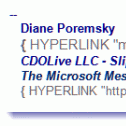
We occasionally receive questions about hyperlink code showing in email – in the form of {Hyperlink “http: // whatever” }. This means you are showing field codes. Press Alt+F9 to toggle them off and on. … [Read more...] about Tip 850: Hyperlink codes showing
Tip 848: Pasting images into the Signature Editor
When you create a signature containing an image in an Outlook message form then copy and paste it into the New signature dialog, the image may not be visible, but have no fear, the image might be out of sight but it’s not gone for good. When you insert the signature into a message, you’ll see the image (and the formatting and layout should be perfect, exactly like you designed … [Read more...] about Tip 848: Pasting images into the Signature Editor
Tip 847: March Madness Calendars
It's that time of year again, when college basketball takes over the airwaves and the water cooler. To make it easier for fans to follow the games, fans can subscribe to calendars using Outlook 2007/2010, Apple, and any calendar application that supports icalendars (ical) or the webcal protocol. So far this year, I'm aware of just two March Madness calendar - from Calendar … [Read more...] about Tip 847: March Madness Calendars
Create a custom view to list upcoming birthdays
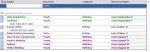
To display only the birthdays that occur in the upcoming months, you need to create a custom view. However, if you try to do it by the start date, you won't get the results you expect. Instead, you need to create a filtered table view that only shows items in the Birthday category and with a recurrence containing the names of the month. Separate each month with a comma, so the … [Read more...] about Create a custom view to list upcoming birthdays