![Diane Poremsky [Outlook MVP]](http://www.outlook-tips.net/images/2014/MVP_BlueOnly.png)
Outlook uses the long date format set in Windows for date formatting in the calendar, both onscreen and in printouts. For example, if you want to include the day of the week on printed calendars or display the full name of the month above the navigation calendars, check your long date format in Control Panel’s Region and Language applet. You can make your own date formats if … [Read more...] about Tip 827: Date formatting in Calendar
How to remove Members from a Contact Group

When you want to remove members from a distribution group, click the Remove Members button, don't use the Delete key or button. If you use the Delete button () you'll delete the entire distribution group. Select the name (or names) and use the Remove Member button instead. (In older versions of Outlook the button name is just "Remove".) If you accidentally delete … [Read more...] about How to remove Members from a Contact Group
How to change the Calendar date format

A frequent question: When I view the calendar in Week mode it displays the dates, but not the days of the week. Is there an option to show the day? If you don't like the date format Outlook uses on-screen or in printouts, you need to change the long date format set in Windows Control panel, Regional settings. Note, the day of the week format is controlled by the width … [Read more...] about How to change the Calendar date format
Publishing Calendars using Office Online
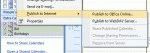
Calendar sharing at Office Online (office.com) was turned off on April 4 2014. After that date you'll only be able to share calendars using this method if you use a server that supports WebDAV. Outlook 2007 has a feature called "Publish to Internet" that allow you to publish your calendar to the Internet so you can share it with others. If you don't have your own web server, … [Read more...] about Publishing Calendars using Office Online
Tip 825: Open multiple instances of Outlook
A user asked “In XP you can go to the Outlook property box, delete "/recycle" from the end of the target address and be able to open up multiple copies of Outlook so you can have instances of mail, calendar, contacts, etc., open simultaneously. How do you do this in Outlook 2010 on Windows 7?” Outlook 2010’s shortcuts don’t use the /recycle switch so you can select any link to … [Read more...] about Tip 825: Open multiple instances of Outlook