![Diane Poremsky [Outlook MVP]](http://www.outlook-tips.net/images/2014/MVP_BlueOnly.png)
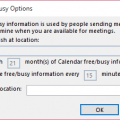
If you don't use an Exchange account, you can’t use Free/Busy unless you (and your contacts) publish free/busy to file server (co-workers) or an Internet server (HTTP or FTP).To share free/busy only with others on your same network, the administrator needs to configure a folder on the network with Read/Change permissions for Everyone, Authenticated users, or Anonymous. To … [Read more...] about Tip 803: Using Free/Busy without Exchange
Tip 802: Prompt for folder on Send
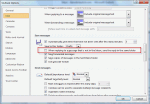
I’ve had several questions the past couple of weeks looking for a prompt to select a folder when sending messages. This is a popular feature in Lotus Notes but while Outlook allows you to set a Sent items folder for every message you send (overriding the Sent folder) it doesn’t pop up a dialog – you need to remember to select the folder before hitting Send, or use a macro to … [Read more...] about Tip 802: Prompt for folder on Send
Tip 801: Block hyperlinks in Outlook
I recently had a question from an administrator looking for a way to prevent users from clicking on hyperlinks in Outlook. He doesn’t care if users copy the URL and paste it into a browser, he just doesn’t want them clicking links in Outlook.Links in the junk mail folder are unclickable, but you can’t block urls in other folders in the same manner. However, you can take … [Read more...] about Tip 801: Block hyperlinks in Outlook
Tip 800: Outlook Security Updates
A security update for Outlook (2003, 2007, and 2010) was released today and its important that users install this update as the exploit does not require user interaction – just viewing the specially formatted message will kick it off. RTF message format is affected by this bug. While you can’t filter out RTF formatted messages, if you are really concerned, you can set Outlook … [Read more...] about Tip 800: Outlook Security Updates
Tip 799: Reminder Times
“How do you change the default reminder time in Outlook from 4pm to a more reasonable time like 8am?” The default reminder time for tasks depends on when the task is created and due - tasks created (or flagged) for Today will always default to the reminder at 1 hour before the end of the working day. Tasks due in the future will use the reminder setting in the Tools, … [Read more...] about Tip 799: Reminder Times