![Diane Poremsky [Outlook MVP]](http://www.outlook-tips.net/images/2014/MVP_BlueOnly.png)
If you are having problems with Outlook 2003 crashing since installing the September security update (and had to disable your add-ins to prevent the crashes), a hotfix is now available that addresses this issue and allows you to use your add-ins. MS10-064: Description of the security update for Office Outlook 2003: September 14, 2010//support2.microsoft.com/kb/2293428 … [Read more...] about Tip 798: Hotfix for Outlook 2003 Crashes
Tip 796: Outlook 2007 October Hotfix

I finally got around to reviewing the details of the October 26 hotfix and it should make some Outlook 2007 users happy. Specifically, those who are annoyed by the previous update that broke monthly calendar printing – this hotfix restores end times. (A cumulative update was released for Office 2010 today too, with some hotfixes for Outlook 2010.) Among the long … [Read more...] about Tip 796: Outlook 2007 October Hotfix
Tip 794: Create a list of folder names
A lot of people are frustrated by the inability to easily create a list of Outlook folders. The only way to get a list is by doing a screenshot. If you use Snagit, you can scroll the folder list and capture the names in one shot. You can also output the capture to a text file. If you need it, a video tutorial is here: //www.slipstick.com/tutorials/copy/foldernames.htm … [Read more...] about Tip 794: Create a list of folder names
Tip 793: Get a Free Digital ID
Do you need a digital id for signing email? You can get a free digital id (for personal use) at Comodo. Digital ID’s for commercial use are $12/year. Free Certificate from Comodo. Please note that this offer may be withdrawn at any time. At the time of this update (March 2012), the free certificate is valid. Microsoft Office site lists additional certificate providers … [Read more...] about Tip 793: Get a Free Digital ID
Tip 792: Moving Recurring Appointments
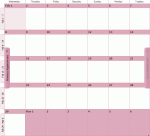
In older versions of Outlook, when you drag a recurring item to a new calendar folder, the recurrence is lost and only the current appointment is moved or copied to the new calendar. When you use a list view (such as By Category) and drag the recurring appointment to the new calendar folder, the recurrences are preserved. This behavior changed in Outlook 2010. … [Read more...] about Tip 792: Moving Recurring Appointments