![Diane Poremsky [Outlook MVP]](http://www.outlook-tips.net/images/2014/MVP_BlueOnly.png)
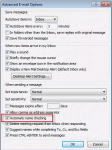
When you disable name checking (autoresolution) in File, Options, Mail, Outlook will still resolve the names, but not immediately.You'll need to press Ctrl+K to force autoresolution at any time before sending the message; otherwise Outlook will always resolve the address when you send the message. If a match isn't found, you'll be asked to pick names using the Check Names … [Read more...] about Tip 20: Check Names
address book
Tip 19: Resolving Addresses
When you have multiple address lists, you can control the order Outlook searches them. This is important, since Outlook stops searching additional address lists once it finds a match (or matches) in an address list. Open the Address book's Tools, Options dialog. Change the order Outlook uses to check names in the bottom field. Use this dialog to change the address list shown … [Read more...] about Tip 19: Resolving Addresses
Tip 18: Using AutoResolution
Many people are in the habit of clicking the To: button on a message form to pick names when they send messages, instead of taking advantage of Outlook's autoresolution capabilities. Enter part of a name in the To, CC, or BCC fields and Outlook resolves the name to an address in your address book. When Outlook finds an exact match, it resolves the name and underlines it with … [Read more...] about Tip 18: Using AutoResolution
Tip 10: Dynamic Distribution Lists

Did you know you can use Categories to create dynamic distribution lists in your Contacts folder?When you need to add or remove names from a group mailing list, you only need to add the category to or remove it from the contacts. When an email address changes, you only need to update their contact form, not the distribution lists they are members of.Send a message or … [Read more...] about Tip 10: Dynamic Distribution Lists
Tip 7: Automatically Create Contacts

Outlook Express has a feature that allows you to add addresses you reply to, to your address book. Many users who move to Outlook miss that feature. I'm not sure why, it tends to fill your address book up really fast, especially if you are active on mailing lists... But many people like the feature and miss it.Outlook 98/2000 in Internet only mode offers the ability to … [Read more...] about Tip 7: Automatically Create Contacts