![Diane Poremsky [Outlook MVP]](http://www.outlook-tips.net/images/2014/MVP_BlueOnly.png)
Receiving Read Only Attachments A reader asks: "Every attachment I receive is marked "read-only" by default in Outlook. Is there a way to remove the default of read-only that is attached to all incoming email? I do not want to have to open every email before saving it. I have poked around but can't seem to find the necessary setting that I can change." … [Read more...] about Questions about Read Only Attachments
attachments
Tip 317: Change the File, Save Attachment Location
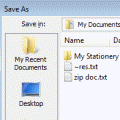
Do you want to change the default file folder Outlook 2003 uses for attachments? While you can't set a folder for attachments you send, you can set one for storing received attachments. You need to navigate to HKEY_CURRENT USER\Software\Microsoft\Office\11.0\Outlook\Options and add a string value called DefaultPath then enter the folder path.The next time you use the … [Read more...] about Tip 317: Change the File, Save Attachment Location
Tip 276: Display Inline Images
One thing that really bugs former Outlook express users when they switch to outlook is the lack of inline display of images in the preview pane. There is not a setting you can enable to display images inline - Outlook does not support it. You can use VBA to create a picture viewer so it's easier. See View Attached Images in the Message, not as Attachments for the VBA code … [Read more...] about Tip 276: Display Inline Images
Tip 258: Can't attach zips
Some people have discovered that when they try to attach zip files to email, Outlook 2003 can't 'see' the files. They see every other file in the File Browser dialog except zips. This is related to the Compressed Folders utility included in Windows and it's ability to view zips as folders. You'll need to unregister the zip handler or drag the zips from Windows Explorer to the … [Read more...] about Tip 258: Can't attach zips
Tip 207: Word's Reading Layout
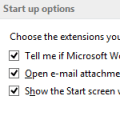
A reader asks: Whenever I open an attached Word document in Outlook, it displays as a side-by-side two page display (actually cut off on the right side). Is there a way to make the file open in a normal view?This is the reading layout view in Word. It is a Word option and needs to be disabled in Word.To disable it for attachment received in Outlook 2003, open Word's … [Read more...] about Tip 207: Word's Reading Layout