![Diane Poremsky [Outlook MVP]](http://www.outlook-tips.net/images/2014/MVP_BlueOnly.png)
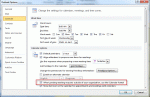
This is a fairly common problem for users who send meeting requests to Internet addresses. When we forward appointments to another employee, the employee receives a vcalendar attachment that opens as a Calendar entry on their copy of Outlook. When we send it to someone using POP3 email, the attachment is simply a forwarded email message, with the vcalendar text as the email … [Read more...] about Tip 950: Appointments are received as plain text messages
calendar
Tip 932:Setting Time Zones with Recurring Appointments
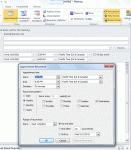
A new feature, introduced in Outlook 2007, allows the user to select the time zone for an appointments. This makes it easier to schedule appointments as you don't need ot use the dual time zone feature or think about what time it is halfway across the country or around the world. However, when you are working with recurring appointments, you need to set the time zone in the … [Read more...] about Tip 932:Setting Time Zones with Recurring Appointments
Tip 930: How to Delete a Calendar Published to Office.com
Outlook 2007 and Outlook 2010 have a cool feature that allows you to share your calendar with other users by publishing it to Office.com. To share the calendar you simply right click on it, choose Publish to Internet (Outlook 2007) or Share (Outlook 2010) and follow the wizard to share it with other users.The office.com calendar server will be closed in April 2014. After … [Read more...] about Tip 930: How to Delete a Calendar Published to Office.com
Tip 928: Move Outlook's Calendar into Windows Live Calendar
This question came up recently: "I have Birthdays and other appointments in my Outlook calendar and I can't figure out how to import them into Windows Live Calendar. I have the Outlook Connector installed. I would like the info on my Windows Mobile 7 phone." This is actually easy. To copy (or move) the appointments from your current Outlook calendar to the Hotmail … [Read more...] about Tip 928: Move Outlook's Calendar into Windows Live Calendar
Tip 926: Delete All Anniversaries and Birthdays
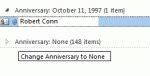
A user wanted to know how to delete all anniversary and birthday items from the contacts section of Outlook 2010. It's actually very easy and doesn't require you to open each contact. Plus, it works with all versions of Outlook. To Edit Contacts To quickly edit Contacts, switch to a list view then add the Birthday and Anniversary fields to the view. Group by one of the … [Read more...] about Tip 926: Delete All Anniversaries and Birthdays