![Diane Poremsky [Outlook MVP]](http://www.outlook-tips.net/images/2014/MVP_BlueOnly.png)
We get a lot of questions about how to view all occurrences of a recurring event in list form in Outlook. Unfortunately, this is not possible. The Calendar view displays the individual occurrences and the list view displays the single event.If you need to see all of the occurrences you have two options:1. Export your calendar to Excel. Exporting to Excel (or CSV format) … [Read more...] about Tip 909: View all Recurring Events?
calendar
Tip 905: Location, Location, Location... Appointment Locations

Joseph asked a question about the Location field on appointments and meeting requests: "I set up an internal office meeting and there is an arrow for selecting the Location of the meeting. Now this may seem simple to most people, but a little confusing to me. How do I add our office conference rooms to the Location pull down?" You add the conference rooms by … [Read more...] about Tip 905: Location, Location, Location... Appointment Locations
Tip 899: All Time Zones are not created equal
I helped several people over the last two weeks whose appointments were off by an hour or two. This is almost always the result of using the wrong time zone or daylight time setting. In each case, the users lived in an area that does not honor daylight saving time, but they used a time zone with the correct offset then unchecked the option to automatically adjust for … [Read more...] about Tip 899: All Time Zones are not created equal
Tip 892: Show More Appointments on Outlook's Calendar
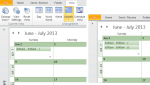
A common complaint: When using the month view on days with several appointments, Outlook only shows the first few, with a down arrow icon which expands to Day view if there are more appointments. Because its easy to overlook the truncated cells in the month view, there is a high probability of overlooking an appointment.Their question always goes something like this: Is … [Read more...] about Tip 892: Show More Appointments on Outlook's Calendar
Tip 891: Move a series of appointments to new dates

It is possible to move (or copy) a series of appointments to new dates and maintain the series pattern. While in the Calendar Month view, carefully select the appointments, holding Ctrl as you make the selections, then right-click and drag the selection to date navigator calendar. You need to drop the appointments on the date the last selected appointment should be moved … [Read more...] about Tip 891: Move a series of appointments to new dates