![Diane Poremsky [Outlook MVP]](http://www.outlook-tips.net/images/2014/MVP_BlueOnly.png)

I have Office 2003 and I have a question about Outlook. Is there a way to attach an incoming email to a contact like you can in ACT! I want to try to avoid making a folder and just attach it to the contact.Yes! Just create a contact for the sender. When you open the contact and look on the Activities tab, you'll see a history of the messages sent to or received from … [Read more...] about Tip 203: Attach Incoming Mail to a Contact
contacts
Tip 163: Contacts or Address Book?
Are you confused by the Outlook Address book and Contacts folder? Think first of the address book in your mother's desk drawer. She has some addresses written on pages in the book, with scraps of paper or envelopes slipped between pages providing more addresses. Now apply that analogy to Outlook's address book. Both address book's hold many addresses from many sources. … [Read more...] about Tip 163: Contacts or Address Book?
Tip 161: Custom Field Formulas

A reader asks:I have added a custom field on contacts which calculates the contact's age using this formula: IIf([Birthday]<>"None",DateDiff("yyyy",[Birthday],Date())-IIf(DateDiff("d",CDate(Month([Birthday]) & "/" & Day([Birthday]) & "/" & Year(Date())),Date())<0,1,0),"")I see a recurring event on the birthday in the Calendar which … [Read more...] about Tip 161: Custom Field Formulas
Tip 64: Address Book Order

Contact folders in Outlook 2002 and up are listed in the Address book in alphabetical order, you can't change that, but in the earlier versions of Outlook, Address Books were listed in the order they were enabled as an address book.Do you want to control the order the Outlook Address Books are listed in Show names from picker? Since they are listed in the order you added … [Read more...] about Tip 64: Address Book Order
Tip 20: Check Names
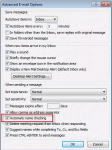
When you disable name checking (autoresolution) in File, Options, Mail, Outlook will still resolve the names, but not immediately.You'll need to press Ctrl+K to force autoresolution at any time before sending the message; otherwise Outlook will always resolve the address when you send the message. If a match isn't found, you'll be asked to pick names using the Check Names … [Read more...] about Tip 20: Check Names