![Diane Poremsky [Outlook MVP]](http://www.outlook-tips.net/images/2014/MVP_BlueOnly.png)
When you create a signature containing an image in an Outlook message form then copy and paste it into the New signature dialog, the image may not be visible, but have no fear, the image might be out of sight but it’s not gone for good. When you insert the signature into a message, you’ll see the image (and the formatting and layout should be perfect, exactly like you designed … [Read more...] about Tip 848: Pasting images into the Signature Editor
messages
Tip 183: Sort Messages by Deleted Date in Exchange mailboxes
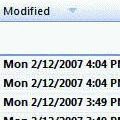
This tip works with Exchange server mailboxes and Outlook.com (EAS) accounts. It will not work with PST files or IMAP data files.Do you want to sort your Deleted Items folder by the date deleted? You'll need to add the Modified Date field to the view.Right click on the row of field names and choose Customize current view. Click the Fields button. Select Date and … [Read more...] about Tip 183: Sort Messages by Deleted Date in Exchange mailboxes