![Diane Poremsky [Outlook MVP]](http://www.outlook-tips.net/images/2014/MVP_BlueOnly.png)
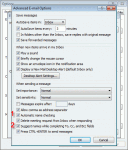
All versions of Outlook support Auto-resolve. Also known as automatic name checking, this feature allows you to type a name, or even just the first few letters, and the name resolves a few seconds after you tab out of the field. When one match is found, the name has a solid underline. When more than one possible match exist you’ll see a red wavy underline. Right click on it to … [Read more...] about Tip 99: What is Auto-Resolve and Auto-Complete?
outlook
How to use Outlook's Command line switches

Most, if not all, of these switches will work with all versions of Outlook, including the newest version (currently Outlook 2016). Don't forget to use the correct path to your version of Outlook.exe. When you're having problems with Outlook you may be told to start Outlook using a specific command line switch. To do this: Close Outlook. At the Start menu, Run … [Read more...] about How to use Outlook's Command line switches
Tip 64: Address Book Order

Contact folders in Outlook 2002 and up are listed in the Address book in alphabetical order, you can't change that, but in the earlier versions of Outlook, Address Books were listed in the order they were enabled as an address book.Do you want to control the order the Outlook Address Books are listed in Show names from picker? Since they are listed in the order you added … [Read more...] about Tip 64: Address Book Order
Tip 20: Check Names
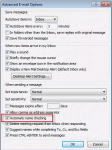
When you disable name checking (autoresolution) in File, Options, Mail, Outlook will still resolve the names, but not immediately.You'll need to press Ctrl+K to force autoresolution at any time before sending the message; otherwise Outlook will always resolve the address when you send the message. If a match isn't found, you'll be asked to pick names using the Check Names … [Read more...] about Tip 20: Check Names
Tip 17: Avoid using Import and Export

Avoid using Import and Export to move or copy items to a PST.Why? Because Import and Export only moves the Outlook items - messages, contacts, tasks, appointments, journal, or notes - not special items like Views and Forms.Import and Export also breaks the link between items and their associated contact. Use Move to retain the links.Create a new PST using File, … [Read more...] about Tip 17: Avoid using Import and Export