![Diane Poremsky [Outlook MVP]](http://www.outlook-tips.net/images/2014/MVP_BlueOnly.png)
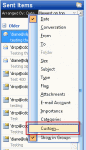
I get a lot of questions asking how to fix the Sent Items folder when it shows the From column instead of the To column. This is useless since you know who the message is from and want to see who it was sent to. When this happens, you need to Reset the view on the folder. In Outlook 2010 and 2013, switch to the View ribbon and click Reset View. In Outlook 2007 and … [Read more...] about Tip 1011: Sent Items folder shows my name, not who the message was sent to
outlook
Tip 1006: Scheduling Outlook rules to turn on and off automatically
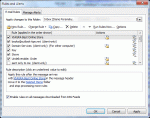
A popular request made by Outlook users is the ability to enable or disable Rules based on the time. I want to turn this rule on when I leave the office and off when I return. I want to run this rule only between 10 AM and 4 PM. Unfortunately, Outlook doesn't have an option to run rules at specific times. If you don't want to run a rule, you need to open Rules Wizard and … [Read more...] about Tip 1006: Scheduling Outlook rules to turn on and off automatically
Tip 1000: Using Rules Wizard for Internal Exchange Email
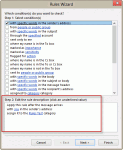
I was thinking about doing a contest or something special involving prizes to celebrate my 1000th post, but I only got as far as the thinking part... it's hard to believe I've been doing this 9 years now (as of July 14). Yes, I can do the math: 9 years x 52 weeks x 3 tips per week is a lot more than 1000 but I took some weeks off and was a slacker the rest of the time. Now … [Read more...] about Tip 1000: Using Rules Wizard for Internal Exchange Email
Tip 998: Copy Meeting Attendees and Responses
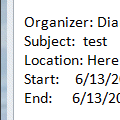
After the earlier tip on how to copy voting responses, an Outlook user said it didn't work with meetings. That's expected since you can't copy the meeting responses, only the list of invitees.To get a list of the attendee and their responses in Outlook 2007 and older you have two options: screen print or VBA. (Outlook 2010 and up includes a Copy Status to Clipboard … [Read more...] about Tip 998: Copy Meeting Attendees and Responses
Tip 995: Copying Outlook's Voting Results
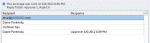
This question came in this week: We sent a message requiring everyone to vote. Now that everyone has voted, how do we post the results in an email to everyone? Well, there is always screenprint... fortunately you won't need it to share voting results. The responses are tallied at the top of the Tracking page and the table can be copied. You can select a single row, the … [Read more...] about Tip 995: Copying Outlook's Voting Results