![Diane Poremsky [Outlook MVP]](http://www.outlook-tips.net/images/2014/MVP_BlueOnly.png)
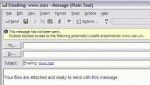
Note: This app is not needed in Windows 2003 Server (and newer operating systems) or if you have the hotfix (Q 327010) for Windows XP (but you can use it anyway). The Hotfix may be included in Windows XP SP2. In new versions of Windows, the Send link by email command inserts a text link into the message, not an attachment. It's always annoyed many people that … [Read more...] about Send Links by E-mail in Windows XP
send & receive
Return an email to the sender

We see a lot of questions that go something like this: I would like to not only block particular emails but also send them back to the sender so they know they've been rejected. Is that possible. Right now I can only send them to the Junk email folder. Thanks. Yes, you could do this (using an autoreply rule), but why? If the message is from a spammer with a legitimate … [Read more...] about Return an email to the sender
Changing Outlook's Reply Format

Outlook's behavior with the reply format is to reply in the format of the original message. If someone sends you plain text message, the reply will always be plain text, because Outlook (rightfully so) assumes the sender prefers mail in that format or can only accept mail in that format. This is good netiquette. In past years, the reasoning behind the decision not to … [Read more...] about Changing Outlook's Reply Format
Recalling messages in Microsoft Outlook

"Can I get back a message I just sent?" We get many questions from users who need to retrieve a message they sent. While Outlook has a Recall function, it only works with Exchange server accounts and has a very low success rate, in part because recall only works with unread messages. Rather than using Recall, wait to send the message until you are sure you want it send it. … [Read more...] about Recalling messages in Microsoft Outlook
Tip 308: Check Every Minute?
How frequently should Outlook check for new mail on the server?For optimal service in both Outlook and on the mail server, no less than 8 - 10 min, longer if you use a dial-up account. Be kind to your email provider - every min or two is too frequent!Thanks to changes in versions of Outlook released since the initial publication of this tip in 2005 and faster Internet … [Read more...] about Tip 308: Check Every Minute?