![Diane Poremsky [Outlook MVP]](http://www.outlook-tips.net/images/2014/MVP_BlueOnly.png)
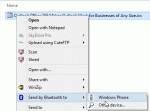
In Microsoft Outlook, I used to be able to click on "File", and one of the options was "Send to Bluetooth". When you clicked on the menu, available Bluetooth devices would pop up and you could select which device to send it to. I used this option to send appointments and contacts to my cell phone. I have never installed any special phone transfer or sync software. The "Send to … [Read more...] about Enable Microsoft Outlook's Send to Bluetooth command
send & receive
Microsoft Outlook's Anti-phishing Filter
Service Pack 2 for Microsoft Outlook 2003 added two new features: an anti-phishing filter and read-as-plain-text in the Junk email folder. Disabled Hyperlinks The anti-phishing filter disables all URLs in the Junk Email folder and URLs in messages identified as having phishing characteristics. This can be disabled globally (on messages not in the Junk email folder) in Tools, … [Read more...] about Microsoft Outlook's Anti-phishing Filter
Delete Read Receipts using MFCMAPI
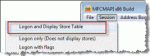
If you have hidden, unknown messages that won't send, it's most likely read receipts. They are stored as hidden messages at the root level of your mailbox. There are two methods that can be used to delete them: Change the SMTP server for the account to a server you can access send. (Remember to change it back to the one you normally use for the account after they are … [Read more...] about Delete Read Receipts using MFCMAPI
Tip 863: Duplicate Sent Messages in Outlook 2010
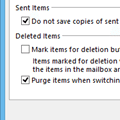
If you have a Gmail account and are getting duplicates in the Sent folder, this is because Outlook saves a sent message in the Sent message folder and some IMAP mail providers do the same, creating two sent message every time you send a message. To stop the duplicates, you need to change the sent message settings in Outlook’s More Settings dialog or change the settings on your … [Read more...] about Tip 863: Duplicate Sent Messages in Outlook 2010
How to configure Outlook to leave mail on the server
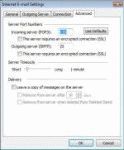
Many users would like to leave their e-mail on the server so they can download it from other computers or read mail using their provider's web interface.This setting is found only in POP3 accounts - IMAP always leaves mail on the server, as does Exchange Server (assuming you are not using a PST as the delivery location) and the Outlook Connector for Hotmail/MSN.In … [Read more...] about How to configure Outlook to leave mail on the server