![Diane Poremsky [Outlook MVP]](http://www.outlook-tips.net/images/2014/MVP_BlueOnly.png)
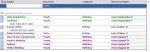
To display only the birthdays that occur in the upcoming months, you need to create a custom view. However, if you try to do it by the start date, you won't get the results you expect. Instead, you need to create a filtered table view that only shows items in the Birthday category and with a recurrence containing the names of the month. Separate each month with a comma, so the … [Read more...] about Create a custom view to list upcoming birthdays
views
Day/Week/Month Calendar View with Autopreview
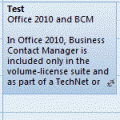
Do you know the difference between the Day/Week/Month view and the Day/Week/Month with autopreview view? When you have appointments containing notes and use the standard Day/Week/Month view, you won't see the notes on the appointment in the day and week views. When you use the Day/Week/Month view with Preview (called just "Preview" in Outlook 2010) you can see the … [Read more...] about Day/Week/Month Calendar View with Autopreview
Tip 664: Lock views
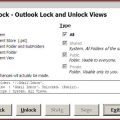
It’s very easy to accidentally change a customized view and a popular request is the ability to lock the views to prevent this. Unfortunately locking views is not possible. The best way to protect your view is by making a copy. When the copy gets messed up, delete it and make a new copy. Update: Outlook 2010's Object Model supports locking views. See View.LockUserChanges … [Read more...] about Tip 664: Lock views
Tip 656: New appointments are always Today

We’re seeing a resurgence of a problem with new appointments always appearing on ‘Today’, instead of the day they are supposed to be on, which means it’s probably time to rerun this tip. The complaint goes like this:When i make an appointment it is saving it to the current day. How do i get my appointments to save on the day that I want?This indicates the view … [Read more...] about Tip 656: New appointments are always Today
Tip 259: Calendar display looks wrong
How can I get calendar to start on the current date?This is just how Outlook works. Outlook displays the calendar as 5-full weeks and the last few days of the previous month will always be at the top, unless the month starts on the first day in your calendar display.If you turn off compressed weekends (right click on the calendar and choose Other Settings to disable the … [Read more...] about Tip 259: Calendar display looks wrong