![Diane Poremsky [Outlook MVP]](http://www.outlook-tips.net/images/2014/MVP_BlueOnly.png)
"My task management method involves moving uncompleted tasks to another day but it's a pain to change the due dates one task at a time. How can I move then all at once?" You can do this easily, using one of my favorite Outlook tricks: drag and drop between groups. Create a new view that groups by the Due date and apply. Select all of the tasks due yesterday and drag to … [Read more...] about Tip 213: Changing the Due Date
views
Tip 139: Applying a View to All Folders
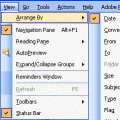
Today's Question:"I can create a custom view, but can't find a way to apply it to all folders other than on a one-by-one basis. Is there a way to apply the view to all folders at one time?"Unfortunately you can't apply new views to a group of folders. The only option is to customize the Messages view and it will apply to all folders still using the Messages view. For … [Read more...] about Tip 139: Applying a View to All Folders
Tip 3: Calendar Views
Outlook 2002 introduced Labels to the calendar, allowing you to display appointments in your Day/Week/Month view using different colors. Did you know you can use Views to quickly apply color to your existing appointments? Open Customize View (in OL2002, it's View, Current View, Customize). Create a new Day/Week/Month view or customize and existing view. Add Automatic … [Read more...] about Tip 3: Calendar Views