![Diane Poremsky [Outlook MVP]](http://www.outlook-tips.net/images/2014/MVP_BlueOnly.png)
Several users recently asked similar questions. One user wants Outlook to default to Canada when creating new contacts, the other user moved and Outlook is still defaulting to his old country when he creates new contacts.
What setting, in what control panel, does Outlook call to default the country when creating a new contact?
The default country for my Outlook Contacts is different from the timezone on my PC. How can I get Contacts to default to my country? Outlook Contacts assumes a new contact is always in the country I used to live (and where the current Outlook version on my computer was set up). I would like a new contact to default to my new location but can't find how to do this.
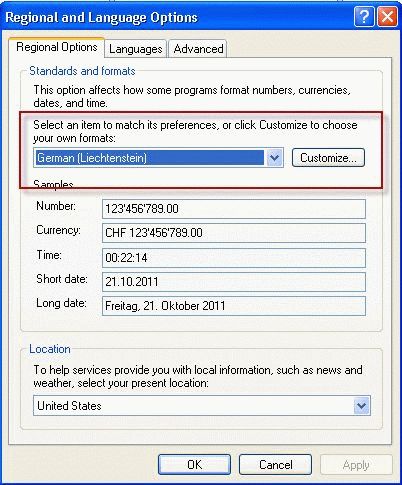
Outlook gets the default country for contact addresses from Region and Language Options in Window's Control Panel. (This is called Region in Windows 8.)
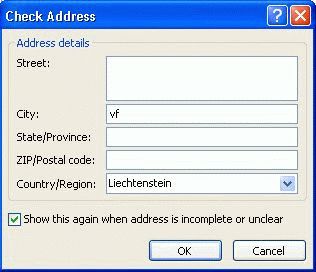
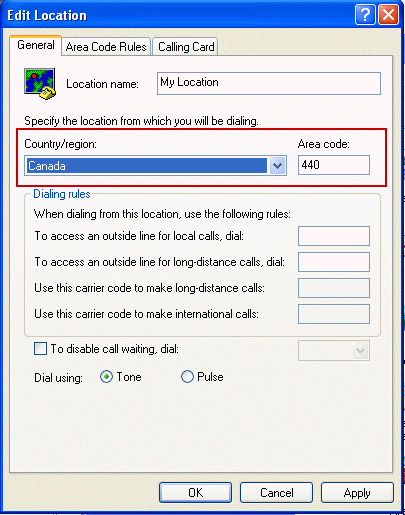
The default country in the Check phone number dialog box is set in Phone and Modem options.
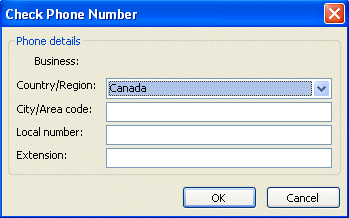
If you moved, you need to change the country in Regional options as well as in Phone and Modem options. Both are in Windows Control Panel.
Typically, users will use the same country in Regional options and as the Location in Phone and Modem Options, but if they are different, the contact's phone number field will use the Phone and Modem Location.
This user had the format set to "English (United States)". Changing it to English (Canada) will cause Outlook to use Canada as the default for addresses in new contacts. If you are using US (or any other country) because you prefer the number formatting styles, you can change those to anything you like. See How to change the Calendar date format in Microsoft Outlook for instructions.
Change Windows Regional Setting
In Windows 7 and 8 you can either change the display language in Windows or use the Region dialog. In Windows 7, open the Control panel and look for Region and Language (in Windows 8 its called Region) and choose the desired country from the Formats tab.
In Windows XP, go to Control Panel and find Regional and Language Options. Choose the desired country.
In my experience, the change takes effect immediately and you will not need to restart Outlook. If the change is not showing in the Check Address dialog, restart Outlook or reboot the computer.
Change Phone and Modem Settings
To change the phone and modem settings, open the Control Panel and find Phone and Modem.
Double-click on My Location to update the location or click New to add an additional location. Outlook will use the location that is selected as your current location when you add a phone number to a contact. It also affects the dialer.
(Merged Tip 924: Changing the Default Country for Contacts and Tip 870: Changing the default country for new contacts)
Published October 21, 2011. Last updated on October 28, 2015.