![Diane Poremsky [Outlook MVP]](http://www.outlook-tips.net/images/2014/MVP_BlueOnly.png)
If you use Microsoft's OneCare you are prevented from using the No Security check macro setting. If you choose this option (which is not recommended), OneCare will reset it so that all unsigned macros are disabled. Either sign the macros with SelfCert or choose the option "Warning for all macros". … [Read more...] about Tip 597: OneCare and Macro Security
Tips Archive
Tip 595: Daylight time problems
If you are having problems with Outlook’s appointment times after daylight time changes, make sure you have the newest time zone definitions for your operating system and use the Outlook appointment rebaser tool. See //support2.microsoft.com/kb/928388 for more information about time zones. Also try the time zone wizard at //support.microsoft.com/gp/cp_dst. The … [Read more...] about Tip 595: Daylight time problems
Tip 594: Folder list shortcuts
Did you know you can use the numeric keypad’s + (plus), – (minus) and * (multiply) keys to expand and collapse folders in the navigation pane or folder list? The left and right arrows can also be used to expand and collapse the folders (use the up and down arrows to navigate the tree). … [Read more...] about Tip 594: Folder list shortcuts
Tip 593: Outlook 2007 Pre-SP2 Update
A pre-SP2 update for Outlook 2007, the February Cumulative Update (CU) contains a large set of the fixes that release as part of the 2007 Microsoft Office suite Service Pack 2 (SP2).Read more about it at Outlook 2007 improvements in the February 2009 cumulative updateThe update fixes many bugs, several of which I’ve mentioned in previous tips but the best fix for many … [Read more...] about Tip 593: Outlook 2007 Pre-SP2 Update
Tip 591: QAT shortcuts
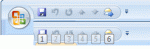
You can add frequently used commands to the Quick Access Toolbar by clicking on the down arrow at the end of the QAT and choosing More Commands.While you may think “I don’t need the QAT, the commands I use are on the default ribbon and easy to access”, it can be a real time saver since the shortcut key for the items on the QAT is Alt+n, where n represents the command’s … [Read more...] about Tip 591: QAT shortcuts