![Diane Poremsky [Outlook MVP]](http://www.outlook-tips.net/images/2014/MVP_BlueOnly.png)
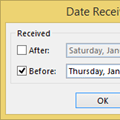
It’s a new year and many people like to start off with a clean mailbox. I created a new pst in Outlook for 2015, making the 2014 PST an archive of sorts. I’ve been doing it this way for years, so I have some 16,000 messages stored on the server. How can I avoid downloading all of the messages again? Because the Mailbox Manager file that Outlook uses to identify the last … [Read more...] about Archiving Last Year's Email
Tips Archive
Outlook Duplicates RSS Items
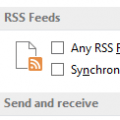
Questions about RSS Feeds came up this week.I have a number of RSS feeds added to Outlook but I have a problem: Outlook keeps duplicating some posts.Outlook has a setting to have RSS Feed items that are updated to appear as new. You can change this setting in Options.In Outlook 2010 or Outlook 2013, go to File, Options, Advanced and remove the check from Any RSS … [Read more...] about Outlook Duplicates RSS Items
Export only Contact's Name and Email Addresses
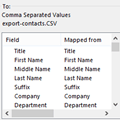
How do I export just the name and the email addresses from all of the contacts in a folder to a CSV file? That's actually really easy to do. When you use the Import and Export wizard, you'll have an option on the last dialog to Map Custom Fields. Map Custom Fields allows you to remove any fields you don't want in the export and add just the ones you want to include in the … [Read more...] about Export only Contact's Name and Email Addresses
Color Category Field Displays only the Category Name
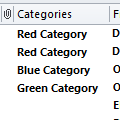
From the obscure bug (or is it a feature?) department:When you turn the reading pane off or set it to the Bottom, you’ll see all of the field names, with Categories on the far right. If you move the Category field to the left of the From field, you’ll see only the category names - the category color swatch isn't displayed. This bug was introduced in Outlook 2010 but I … [Read more...] about Color Category Field Displays only the Category Name
Can Meeting Requests be the Default Item Type?
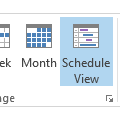
I have a user who used to be able to double-click on the calendar and a meeting request would populate. Now when she double-clicks an appointment request is the default. I can't figure out how to change such a simple thing.You can't figure it out because it isn't an option. The change in behavior your user noticed could be due to one of two things: the calendar he's … [Read more...] about Can Meeting Requests be the Default Item Type?