![Diane Poremsky [Outlook MVP]](http://www.outlook-tips.net/images/2014/MVP_BlueOnly.png)
A user asks:Is it possible to place a sent e-mail directly in a local pst folder rather than put it in the sent items folder on the server? When sending an email and using the options to store the email to a folder I can only choose a folder on the Exchange server.Sure, you can use rules to move a copy to any folder. Open the Rules wizard and create a “Check … [Read more...] about Tip 508: Moving Sent Items
Tips Archive
Mark Appointments or Dates Completed in Outlook
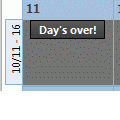
A lot of people want Outlook’s calendar to work like a paper calendar – they want to cross off appointments as they finish or X out “yesterday” to mark it complete. Also see Automatically change Appointment categories using VBA Outlook doesn’t offer such an option, but Outlook 2007 (and up) users can use color categories to mark events ‘completed’. Just create a Completed … [Read more...] about Mark Appointments or Dates Completed in Outlook
Tip 505: Current View Pane
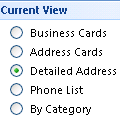
In Outlook 2003 and 2007, the Navigation pane may contain a list of views available for the folder.If you have a large number of folders, the Current view section is usually hidden until you scroll down, but in the Calendar pane, the number of navigation calendars shown in the view is reduced.If you prefer to see more calendars or remove the clutter of extra links, … [Read more...] about Tip 505: Current View Pane
Tip 504: Hotfix for Outlook 2003 BCC MIME Bug
If you use Outlook 2003 on Vista you may have noticed some messages have the header in the message body, often when you were BCC’d on the message. There is now a hotfix for this (and other issues) available from Microsoft. For more information see:Description of the Outlook 2003 hotfix package: April 22, 2008//support2.microsoft.com/kb/951982 If you don't have a … [Read more...] about Tip 504: Hotfix for Outlook 2003 BCC MIME Bug
Tip 503: Display Work Hours
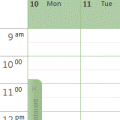
John asksI'd be happy if I could get my calendar to start with showing the start of my workday just below the all day events -- instead of 5AM. My workday starts at 8AM. I have reset my view, thinking maybe there was something in my customized view. Any ideas?This is another case where size matters. When the window height is large and the time scale set to longer … [Read more...] about Tip 503: Display Work Hours