![Diane Poremsky [Outlook MVP]](http://www.outlook-tips.net/images/2014/MVP_BlueOnly.png)
If your calendar is messed up due to not using the correct ‘Use DST’ setting, or from changing time zones, the usual fix is to export the calendar to Excel or CSV format while the time zone is configured so the appointment times are correct. Then change the time zone settings on the computer, move the existing appointments to a new calendar folder and import the appointments … [Read more...] about Tip 485: Fix DST Problems
Tips Archive
Tip 484: Sync with Google Calendar
Good news for Google Calendar users – it supports 2-way sync with your outlook calendar (or one way sync, either to or from Google’s calendar is an option). You’ll need to download and install a sync tool from the google site –log into your account and look for the link. Syncing is done every 10 minutes and seems to work well. When I installed it, I received an error … [Read more...] about Tip 484: Sync with Google Calendar
Tip 483: Scrolling in "Sticky" Notes
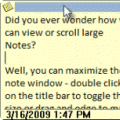
Did you ever wonder how you can view or scroll large Notes?Well, you can maximize the note window - double click on the colored 'title' bar to toggle the note to full screen or drag and edge to make it bigger.But what if you want to keep the note more "note sized" and view the contents of the note? Without scroll bars, how do you do it?Easy, you can move up and … [Read more...] about Tip 483: Scrolling in "Sticky" Notes
Tip 481: Outlook 2007 Passwords Won't Save
If you installed Outlook 2007 on Vista and are having problems with the password not getting saved, type (or paste) shell:dpapiKeys in either Start Menu, Run command or in the Start Search field of the Start menu. Rename the key (it begins with S-1-5-21) and restart Outlook. You’ll lose any passwords that might be there. (Passwords are stored in hidden system files in … [Read more...] about Tip 481: Outlook 2007 Passwords Won't Save
Tip 480: Outlook 2007/2010 Previous and Next Handles
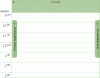
Outlook 2007 and Outlook 2010's Calendar shows “Previous Appointment” and “Next Appointment” handles in the day, week, and month views when there are no appointments for the visible dates. These handles will help you find appointments on your calendar and you can’t turn them off, short of adding appointments to the one of the days in the view. … [Read more...] about Tip 480: Outlook 2007/2010 Previous and Next Handles