![Diane Poremsky [Outlook MVP]](http://www.outlook-tips.net/images/2014/MVP_BlueOnly.png)
Office 2007 SP1 public release is scheduled for December 11. The SP1 includes all of the client and server products. (Exchange 2007 SP1 came out last week.) One much anticipated fix in SP1 is printing from Outlook. Not all of the printing bugs were fixed, but one that causes many complaint is fixed: printing a multiple day event that wraps weeks will print correctly with SP1. … [Read more...] about Tip 461: Outook 2007 SP1
Tips Archive
Tip 460: Filter Flags
Sally asks "I don't want to show ALL my task, just the ones that are past due and for the next 5 days. What do I do to set it that way. In filters I can set it to show next 7 days but it won't show the past due task." Create the custom view and create Advanced filters for: Field … [Read more...] about Tip 460: Filter Flags
Tip 459: More Navigation Calendar Tricks
Following my tip on selecting weeks to create partial month calendar view, Bob asks "Is it worth mentioning to people, that you can also use this trick to generate day / 2 day / 3 day 4 day views etc, by selecting a group of dates in the same horizontal row of the navigation calendar with the mouse?" Sure. Along with selecting consecutive days in the navigation calendar, you … [Read more...] about Tip 459: More Navigation Calendar Tricks
Tip 458: Two Week Calendar
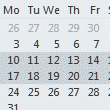
Do you want to see more appointments each day in the Month view? You can view a 2 week monthly style grid by selecting 2 weeks in the navigation calendar. You can select up to 6 weeks but unfortunately, this view is not persistent, so changing folders will change the view.For more information and a video tutorial, see View a Two Week Calendar … [Read more...] about Tip 458: Two Week Calendar
Tip 457: Outlook 2003 and MSG Attachments
We're seeing reports of problems opening attached messages (often sent "Forwarded as attachment"), often reported after upgrading to Outlook 2003 SP3.One possible cause is the newest Google Desktop Search update. So.... if you can't open MSG attachments and you have Google Desktop installed, try removing Google Desktop. … [Read more...] about Tip 457: Outlook 2003 and MSG Attachments