![Diane Poremsky [Outlook MVP]](http://www.outlook-tips.net/images/2014/MVP_BlueOnly.png)
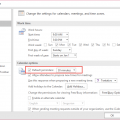
When I set up a meeting or appointment, I would like to have defaults for Reminder set at 1 hour and Free/Busy set at Busy. Is there any way to set these defaults?Yes. You can set the reminder default for timed appointments in File, Options, Calendar (Outlook 2010 and newer) or Tools, Options (older versions). All day events will always default to 18 hours reminders and … [Read more...] about Tip 436: Free/Busy and Reminder Defaults
Tips Archive
Tip 435: Cloudmark antispam crashes Outlook
A bad file in a Cloudmark anti-spam tools update installed recently is causing Outlook to crash. Logs will show an error in NTDLL.DLL and you may have some installer errors. If you are affected, you won't need to uninstall Cloudmark to fix the problem - download an update containing the fix. See //www.cloudmark.com/desktop/forum/viewtopic.php?t=1062 for more information. … [Read more...] about Tip 435: Cloudmark antispam crashes Outlook
Tip 433: See Replied to Time
Would you like to be able to see the time you replied to or forwarded a message in your message list view? You can, using an Extension form configuration file (*.CFG) that exposes the hidden Extended MAPI property PR_LAST_VERB_EXECUTED, which holds the replied to/forwarded times. The best part is, you don't need to have a clue about what I just said. :) Michal Bednarz of … [Read more...] about Tip 433: See Replied to Time
Tip 432: Subscribe to Google Calendar
If you use the Google calendar, you can connect it to Outlook. Using Outlook 2007, the calendar will be listed under Other calendars. Changes made to the Google calendar will be updated automatically, approximately hourly. At this time it's a one-way sync: you cannot make changes in Outlook and update the calendar at Google. In older versions of Outlook, download the ics file … [Read more...] about Tip 432: Subscribe to Google Calendar
Tip 431: Yearly Calendar
The following blog lists a VB Code sample for a yearly planner style calendar. It reads your default Outlook calendar and creates a HTML calendar. Supports up to 12 months. Code can be adapted to filter out categories. //niveauverleih.blogspot.com/2007/05/yearly-calendar-view-for-outlook.html I tested it with Outlook 2007 and it works great. You can create a 1 -12 month … [Read more...] about Tip 431: Yearly Calendar