![Diane Poremsky [Outlook MVP]](http://www.outlook-tips.net/images/2014/MVP_BlueOnly.png)
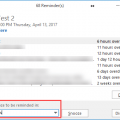
Chipper asks: Is it possible to set a reminder date longer then 2 weeks on a calendar item? For example, I have a major meeting scheduled in September, eight months from now, and I want to be reminded three months before the due date to begin preparing for the meeting. Sure. You can use any other reminder period, not just what is listed in the dropdown. Need a reminder in 18 … [Read more...] about Tip 337: Appointment Reminders
Tips Archive
Send Messages Later

Kirk asks:You may find this question odd but here I go. Is there a way to keep outgoing e-mail to an individual in queue or folder or something and then send it all at one time? The example I would like to use is if someone is on vacation and I have e-mail to send them that is not important I do not want to bother them while they are away but do want to send to them when … [Read more...] about Send Messages Later
Tip 335: Select Weeks
This question came up in the Microsoft newsgroups: "If I change the view from 1 or 5 days to 7 or 31 day and click on different week/month the view reverts back to one day view. Why does it happen and how can I still switch back and forth between weeks/months and still maintain the 7/31 day view?" That happens because you clicked on a day in the navigation calendar. Try … [Read more...] about Tip 335: Select Weeks
Tip 332: Using the Date Picker
Following my tip about date shortcuts yesterday, Allister Frost reminded me of another way to select a date range in Tasks: click and drag over the date picker calendar (on the Tasks form) and the start and end dates are set automatically, based on your selection. Your selection is limited to the six weeks shown in the date picker but you can use it from either the … [Read more...] about Tip 332: Using the Date Picker
Tip 330: Delete Future Recurring Appointments
An Outlook user asks: How can I have all of the future re-occurring meetings (ie for 2014) removed from my calendar, but keep the 2013 appointments? A further twist to this scenario - some of the individual meetings in 2013 were cancelled, and some moved to other times, so I cannot just recreate the re-occurring appointment for 2013 myself and then remove the re-occurring … [Read more...] about Tip 330: Delete Future Recurring Appointments