![Diane Poremsky [Outlook MVP]](http://www.outlook-tips.net/images/2014/MVP_BlueOnly.png)

"I am looking for an addition to Outlook XP that instead of adding a rule that says sender in a specified address book, but it says sender is NOT in specified address book. This would work for me to block or handle spam. "You can do it one of two ways:Create a rule to do something with all messages from people in the address book, such as move to the Inbox, and add a … [Read more...] about Tip 211: Create a 'Sender is NOT in the Address Book rule'
Tips Archive
Tip 210: Printing Calendars from Public Folders
An administrator asks: I'm running Outlook 2003 in an MS Exchange 5.5 environment. One of my users posed the question of why they cannot print the daily view of a Public Folder calendar. The weekly view prints just fine but whenever, they (or even me, and I'm the owner) try to print a daily view, they get the following error message: "This folder cannot be opened because … [Read more...] about Tip 210: Printing Calendars from Public Folders
Find Dismissed Reminders
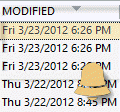
What if you used the last tip to dismiss reminders and discover you needed some of the reminders left on?Unfortunately, Outlook doesn't have an easy way of showing you what reminders were dismissed. You can create a view that includes the modified field, then sort or filter by it to see when the items were dismissed. It's not 100% accurate as many things can modify the … [Read more...] about Find Dismissed Reminders
Tip 208: Dismissing Reminders
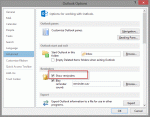
Did you ever go on vacation and have 100's of reminders fire when you return and open Outlook? While it's not as much of a problem with Outlook 2002/2003's unified reminder window, where you can select several items to dismiss or Dismiss All at once, dismissing reminders one at a time in older versions gets old fast.In Outlook 2007 and older, go to Tools, Options, Other … [Read more...] about Tip 208: Dismissing Reminders
Tip 207: Word's Reading Layout
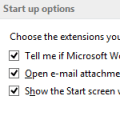
A reader asks: Whenever I open an attached Word document in Outlook, it displays as a side-by-side two page display (actually cut off on the right side). Is there a way to make the file open in a normal view?This is the reading layout view in Word. It is a Word option and needs to be disabled in Word.To disable it for attachment received in Outlook 2003, open Word's … [Read more...] about Tip 207: Word's Reading Layout