![Diane Poremsky [Outlook MVP]](http://www.outlook-tips.net/images/2014/MVP_BlueOnly.png)
Do you want use FireFox as your default browser but Outlook won't use it when you click on hyperlinks? First, make sure Firefox is set as the default browser on it's Tools, Options menu. If it is set as the default and either two browser windows open or a File Open dialog opens along with a browser window, then you need to remove the check from Use DDE on the HTTP protocol. … [Read more...] about Tip 186: Make FireFox the Default Browser
Tips Archive
Tip 185: Taskpad Views
Do you want to see tasks for selected dates on the Taskpad in Outlook's calendar? Change the view to "Active Tasks for selected dates" then click on a date, holding Shift or Control to select additional dates. Note that Outlook's default is Due date only, a start date is optional and unless you have a start date set, Tasks due in the future are considered Active until they … [Read more...] about Tip 185: Taskpad Views
Tip 183: Sort Messages by Deleted Date in Exchange mailboxes
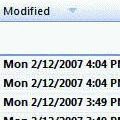
This tip works with Exchange server mailboxes and Outlook.com (EAS) accounts. It will not work with PST files or IMAP data files.Do you want to sort your Deleted Items folder by the date deleted? You'll need to add the Modified Date field to the view.Right click on the row of field names and choose Customize current view. Click the Fields button. Select Date and … [Read more...] about Tip 183: Sort Messages by Deleted Date in Exchange mailboxes
Tip 182: Browsing Folders
This tip is from one of our readers. Outlook's Forward and Back buttons (on the Advanced and Web toolbars) hold a history of the folders you've previously visited and you can use them to jump back and forth between folders, instead of using the folder list. Keyboard shortcuts are: Forward = Alt+Right arrow Back = Backspace or Alt+Left … [Read more...] about Tip 182: Browsing Folders
Tip 181: Copy Appointments
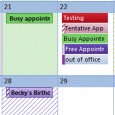
Question:Is there any way to copy an appointment from one day to another?Answer: Yes! Select the date. If you enter 'edit mode' (you most likely will), press Esc, then Ctrl+C to Copy and Ctrl+V to paste it on the new date. The time should remain the same unless you paste it into a Day planner view, where it picks up the new as well as the new date. … [Read more...] about Tip 181: Copy Appointments